Publishing more content is the wrong first move when your commercial pages aren't eligible to appear in search. Before commissioning another category guide, establish whether Google can discover, index, and correctly interpret the pages that explain your product. Otherwise, you're increasing production without fixing distribution.
For B2B SaaS founders, the objective isn't more rankings in isolation. It's visibility among buyers who can become customers, followed by a credible path to evaluation. To improve Google search ranking, sequence the work around that outcome: eligibility, intent, experience, authority, then measurement tied to pipeline.
Most content-first SEO plans skip the question that determines whether the investment can work: Can Google access and index the pages that matter? A strong comparison page won't generate organic demand if it's orphaned, accidentally excluded, or canonicalized to an unrelated URL.
That's why technical eligibility comes before another publishing sprint. The Google SEO Starter Guide explains that discovery relies on mechanisms including crawlable links and sitemaps, while sitemap submission doesn't guarantee crawling, indexing, or ranking.
Give someone ownership of the URL inventory, not just the audit presentation.
<a> links to orphan pages, remove unnecessary redirect hops, correct conflicting canonicals, and replace navigation that relies entirely on JavaScript interactions.Don't remove every exclusion indiscriminately. Account pages, internal search results, and duplicate variants may belong outside the index. The task is to make the intended commercial architecture discoverable, not maximize indexed URL count.
Ranking fixes ordered by impact and effort
| Priority | Problem to check | How to confirm | Typical fix |
|---|---|---|---|
| 1 | Important pages not indexed | Search Console indexing report shows Not indexed | Fix crawl paths, canonicals and noindex tags |
| 2 | Pages targeting the wrong intent | Queries and page content do not match in Search Console | Rewrite the page or re-map the query to a better page |
| 3 | Slow mobile templates | Field data fails Core Web Vitals at the 75th percentile | Fix render-blocking resources and image weight by template |
| 4 | Thin or duplicate pages competing | Several URLs rank for one query | Consolidate content and redirect the weaker URLs |
| 5 | Commercial pages with few internal links | Crawl shows money pages with few inbound internal links | Add contextual links from pillar and blog pages |
| 6 | Few referring domains to pillar pages | Backlink profile lags direct competitors | Earn links through original research and partner pages |
Treat this as a triage order, not a claim that every issue has equal effort. An accidental noindex tag can be straightforward to remove. Repairing a client-rendered navigation system may require engineering. Multiple pages appearing for a query also aren't automatically a problem; investigate whether they serve distinct needs before merging them.
Investment rule: Don't commission content for a page group until someone has verified its discovery and indexing status.
This work can delay content output. Accept that trade-off when the alternative is publishing into an inaccessible section of the site.
For an afternoon diagnostic, count how many commercial pages earned organic impressions during a chosen 28-day review window. Zero or near-zero impressions are a warning to investigate eligibility first, not proof of a technical block. Weak demand, poor intent alignment, and a new page can produce the same symptom.
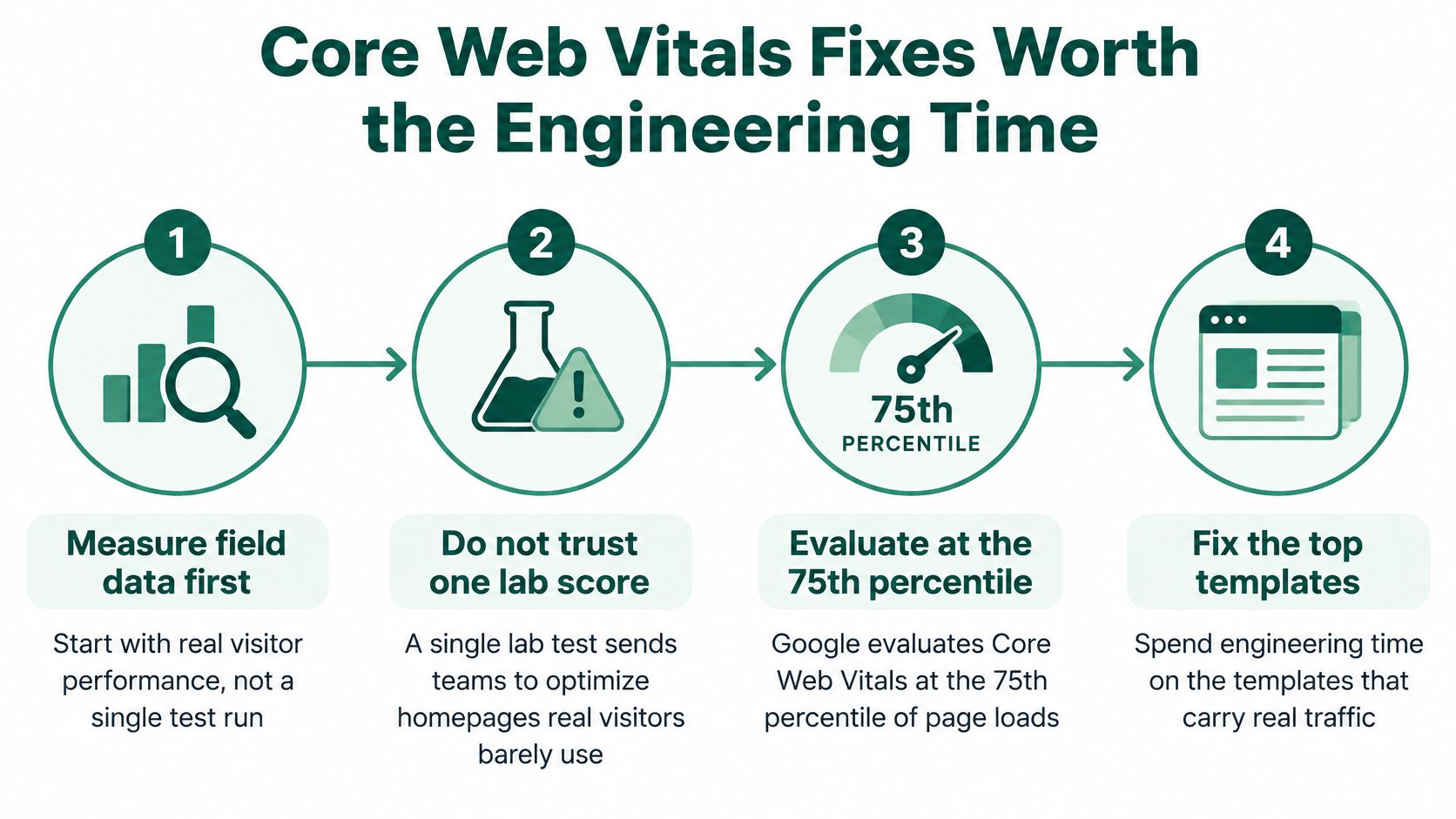
Don't give engineering a homepage Lighthouse score and call it an SEO requirement. Start with field data from real visitors, then identify which shared templates create the worst experience on commercially important journeys.
Google's Core Web Vitals guidance recommends evaluation at the 75th percentile, separated into mobile and desktop, with good targets of LCP at 2.5 seconds or less, INP below 200 milliseconds, and CLS at 0.1 or less. These are experience thresholds, not promised ranking increases.
Core Web Vitals targets and first fixes
| Metric | Good threshold | Common cause | First fix |
|---|---|---|---|
| Largest Contentful Paint (LCP) | 2.5 seconds or less | Oversized hero images and slow server response | Compress and preload the hero image, cache HTML |
| Interaction to Next Paint (INP) | Under 200 milliseconds | Long JavaScript tasks from tags and widgets | Remove unused scripts and defer third-party tags |
| Cumulative Layout Shift (CLS) | 0.1 or less | Images, embeds and ads without reserved space | Set width and height, reserve ad slots |
The thresholds above come from the same Google guidance. Use them to diagnose a page group, not to justify speculative rewrites of the entire frontend.
The engineering sequence should follow the visitor's experience rather than the order of warnings in a test report.
Be selective about preloading. Preload the actual critical image, not every image above the fold. Likewise, defer third-party scripts only after checking whether sales routing, consent, or essential product interactions depend on them.
Passing Core Web Vitals is hygiene, not a standalone growth strategy. A fast page that answers the wrong question still fails the buyer. A technically polished page with an unclear offer still leaves the sales team explaining the product from scratch.
Pair performance changes with landing page best practices, particularly message clarity, useful proof, and an appropriate next step. Keep those changes separately documented so you can distinguish technical improvements from conversion changes.
On a typical sales-led SaaS site, inspect pricing and comparison templates first. They're close to an evaluation decision. Move another template ahead of them when your own traffic and conversion evidence shows a stronger commercial opportunity.
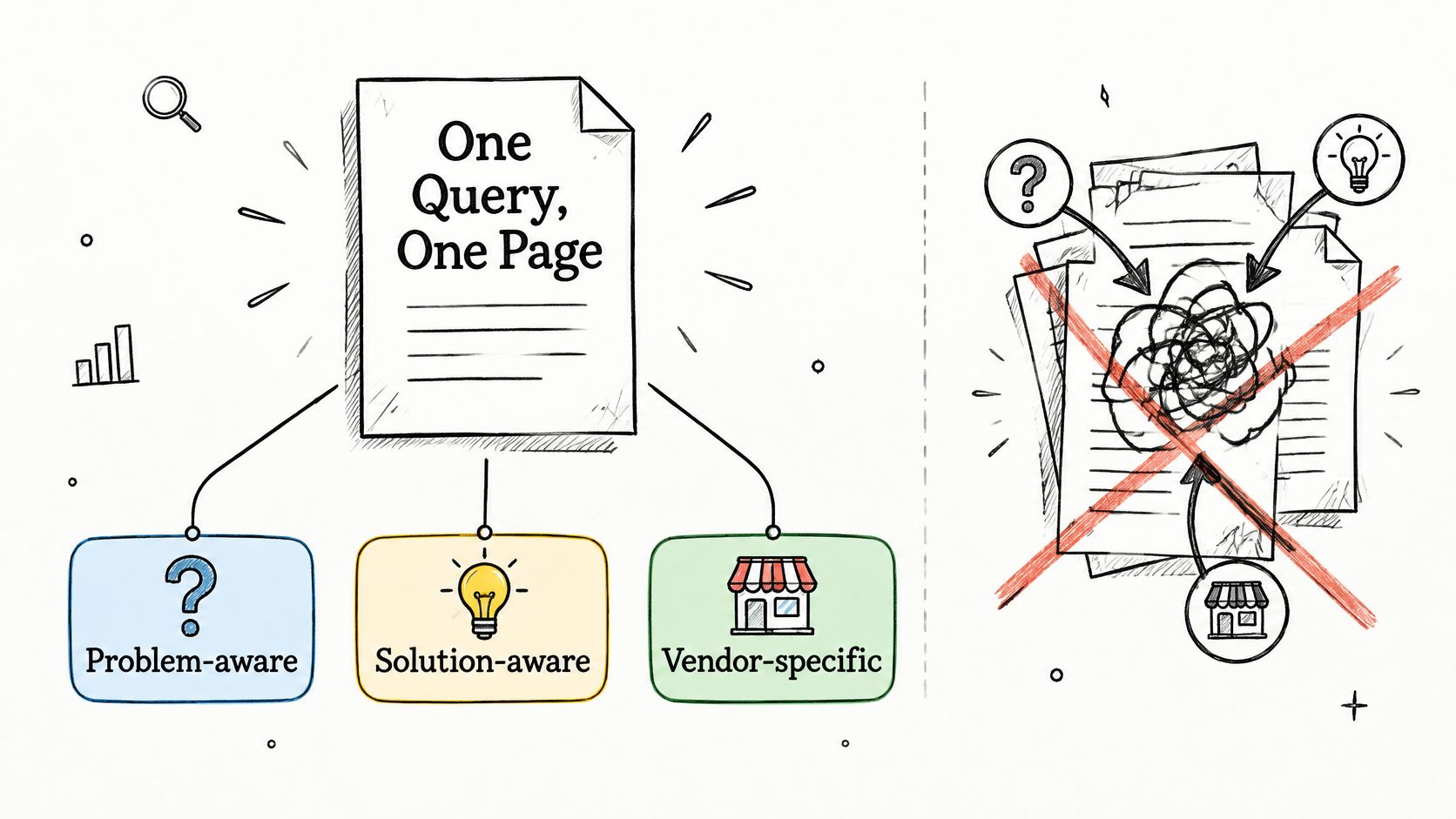
A page shouldn't try to explain a category, compare vendors, and teach implementation with equal emphasis. Those are different buyer jobs. Combining them usually produces an introduction nobody needs and an answer nobody can find quickly.
Assign one owning page per query intent. That doesn't mean one page per keyword variation. Closely related searches can belong on the same page when the buyer expects the same answer.
Search intent mapped to page types
| Query intent | Page to build | Primary job | Common mistake |
|---|---|---|---|
| Problem-aware | Pillar guide or explainer | Define the problem and the criteria for solving it | Glossary-style pages with no buyer context |
| Solution-aware | Comparison or alternatives page | State where you fit and where you do not | Hiding trade-offs behind feature lists |
| Vendor-specific | Use-case or product page | Match the buyer's role, stack and stage | One generic page for every persona |
| Implementation | Tutorial or template page | Give steps and a reusable template | Gating the template behind a form |
Use this distinction to simplify the site's search architecture.
Write the title and H1 in buyer language. A revenue operations leader searching for lead-routing software shouldn't have to decode an internal product category before understanding the page.
Choose the intended canonical URL. Canonicalization addresses duplicate or substantially similar URLs. It isn't a substitute for deciding which different pages deserve to exist.
Connect the surrounding pages. Link the pillar to relevant supporting articles and back again. Give the reader a next step that fits their intent, such as an implementation template for a practitioner or a comparison for an evaluator.
For answer-focused pages, featured snippet optimization is useful as an editorial discipline: state the answer directly, then explain the conditions and evidence. Don't distort a nuanced buying decision into an oversimplified definition.
Use Organization, SoftwareApplication, FAQPage, and Article markup only where the page contains the relevant information. A vocabulary choice doesn't establish eligibility for a Google search feature.
Google's structured-data policies require markup to reflect visible content and meet the relevant properties and policies; valid markup doesn't guarantee a rich result. Hidden FAQs, invented ratings, and misleading claims can put the implementation at risk, including manual action.
Read the title, H1, and opening paragraph with the target query in mind. If a competitor answers the question more directly, fix the answer before adding markup.
Maintain a mapping sheet with these columns: query, intent, owning page, owner, last review date. The owner matters because positioning changes should trigger page decisions, not leave obsolete messages in search indefinitely.
A keyword export isn't a content strategy. It doesn't tell you which buyer matters, which decision blocks a sale, or why your product deserves consideration.
Start with the decision. A security platform buyer might need to establish whether a control gap requires another tool, compare an internal workflow with a specialist platform, and then evaluate integration requirements. Those questions belong in a connected architecture, not unrelated posts commissioned because each has search volume.
Use the buyer's progression to shape the hierarchy.
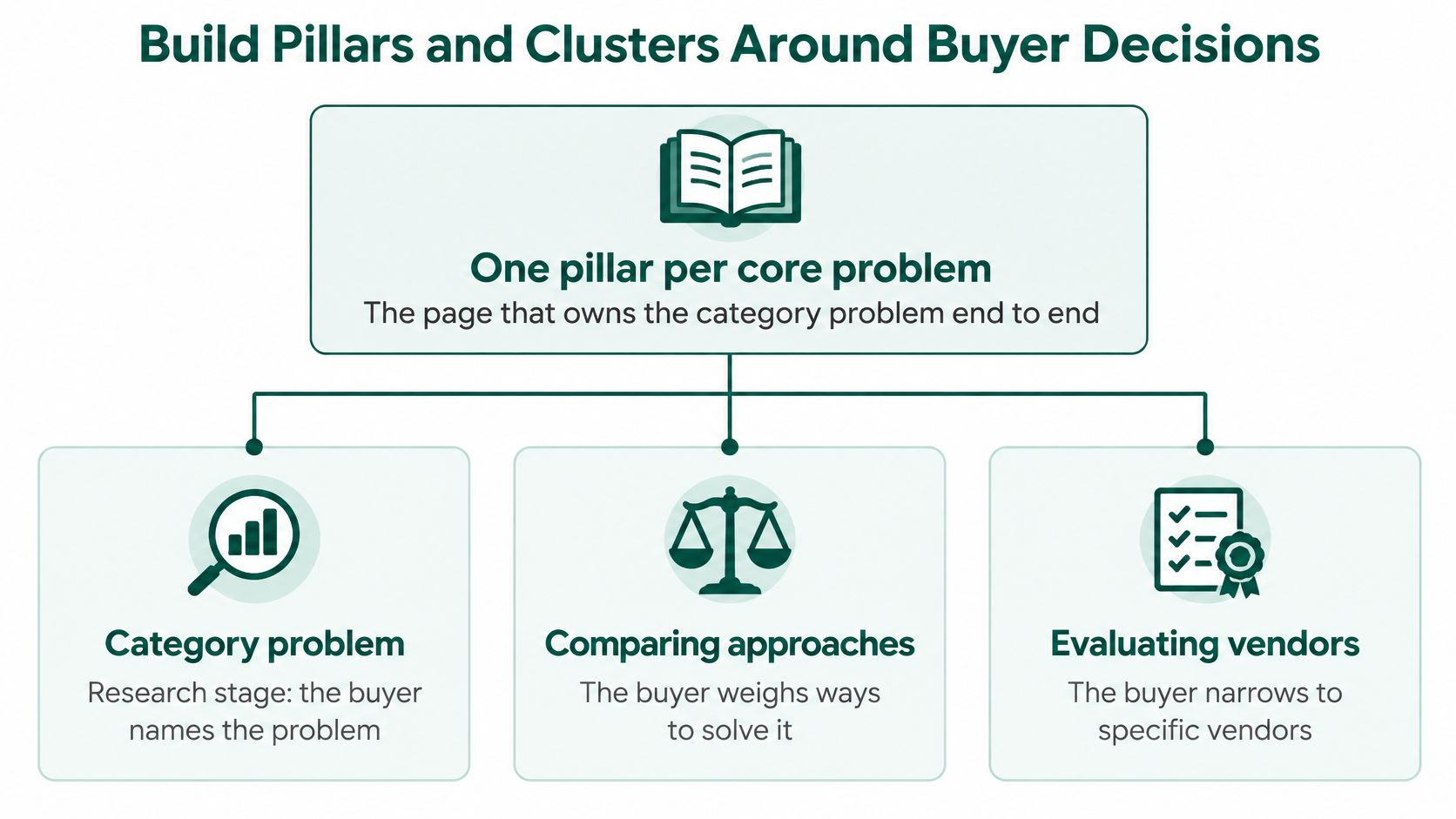
Build one pillar per core problem. It should explain the problem, available approaches, evaluation criteria, and situations where your approach isn't suitable.
As a starting publishing scope, commission four to six supporting pieces around that pillar. Each should resolve a distinct sub-question using product knowledge, workflow detail, or evidence a generalist writer couldn't manufacture.
The benefit isn't a magic cluster effect. You give editors a coherent remit, buyers useful next steps, and search engines explicit relationships between pages. A broad publishing program spreads those resources across topics you may have no reason to own.
Our SEO content strategy approach starts with that commercial architecture. For a complementary perspective on connecting editorial choices to business outcomes, consult ContentBuck on content-led B2B growth.
Google's helpful-content guidance favors useful, original work created for people and states that automation used primarily to manipulate rankings violates spam policies. AI-assisted drafting isn't the dividing line. Accuracy, originality, and audience usefulness are.
Have a product specialist verify implementation details. Ask sales which objections the draft resolves. Remove unsupported claims that make your product sound universally suitable.
Our SEO and content strategy tripled Drone Industry Insights' quarterly sales. That's the relevant outcome to pursue, not a publishing quota.
For another perspective on developing a connected content program, use the accompanying video.
Publishing rule: If a draft can't name the buyer role it serves and the decision it helps that person make, don't publish it.
Link outreach fails when the pitch offers nothing except the sender's need for a backlink. An editor needs a reason to change a useful page. A partner needs a reason to recommend your resource to shared customers.
Prioritize substantial pillar assets that support a commercial journey. Don't send outreach to a thin product page because you want it to rank. Build something worth referencing, then connect it naturally to the relevant evaluation pages.
The strongest starting assets for a B2B SaaS team are practical and defensible:
For a structured opportunity assessment, use our link building for SaaS framework. Evaluate relevance and editorial usefulness before counting referring domains.
Use this as a working campaign sequence:
Directories require judgment. StartupSubmit's guidance on how to submit your site to relevant directories can help identify suitable listings, but relevance and a real buyer audience should determine whether you participate.
Stop buying activity: Directory volume, undisclosed paid placements, and reciprocal link swaps aren't substitutes for a resource someone independently wants to recommend.
Fewer, better opportunities require more preparation. Accept that cost when the destination page already helps buyers evaluate the problem and move toward your product. The objective is useful third-party validation, not an impressive outreach spreadsheet.
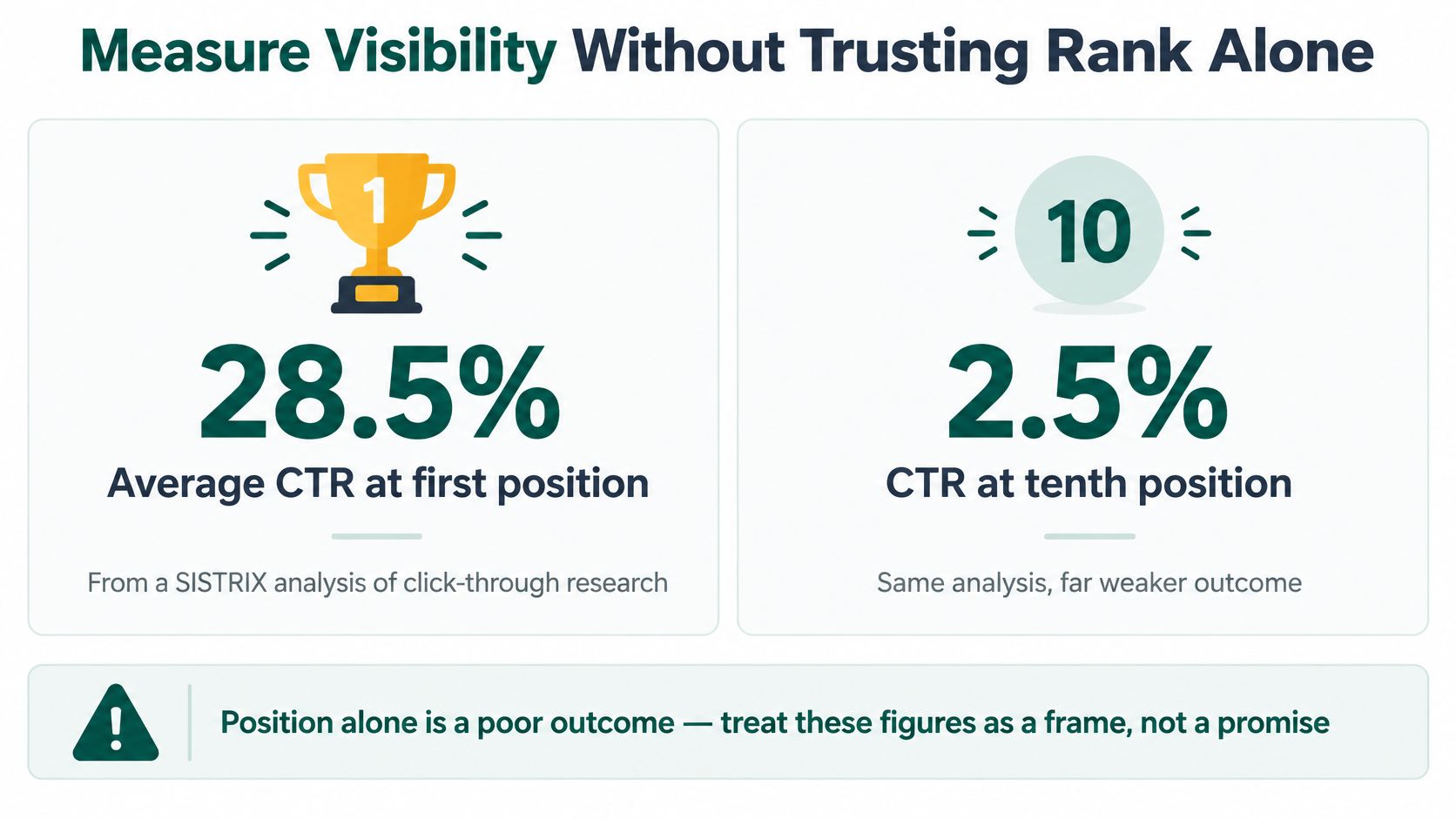
Rank affects opportunity, but it doesn't establish commercial success. A SISTRIX click-through analysis found average CTR of 28.5% for the first organic result and 2.5% for the tenth, while also showing that search-result features and intent substantially change performance.
Use those averages as context, not a traffic forecast.
Metrics to review and what each answers
| Metric | Source | Question it answers | Review cadence |
|---|---|---|---|
| Impressions and average position | Google Search Console | Are we visible for the right queries? | Weekly |
| Click-through rate by query | Google Search Console | Does the snippet earn the click at this position? | Monthly |
| Engaged sessions by landing page | GA4 | Do visitors on this page engage? | Monthly |
| Conversions from organic landing pages | GA4 | Does organic traffic create demo requests? | Monthly |
| Branded search volume | Google Search Console | Is demand for the company growing? | Quarterly |
| AI answer citations on target queries | Manual sampling of priority queries | Are we cited where answers replace clicks? | Monthly |
Treat branded impressions in Search Console as a demand proxy, not a complete measure of branded search volume. Connect qualified demo requests to CRM records so form submissions don't get confused with pipeline.
For custom monitoring, Scrappey's developer guide to SERP rank tracking provides a technical reference. Keep location, device, and query definitions consistent.
Group landing pages by publish quarter and compare engaged sessions, demo requests, and pipeline influence. For controlled tests, change a single major variable and use a matched page group over a proposed minimum 28-day observation window; low-traffic pages will need longer.
A 2025 Semrush study of more than 10 million keywords found AI Overviews on 6.49% of tracked queries in January, 24.61% in July, later settling near 16%, with expansion into commercial and transactional searches. That describes its tracked sample, not every Google search.
Sample priority queries monthly and record organic rankings separately from AI citations. Put a concise, supported answer near the opening of target pages, without assuming placement guarantees citation.
Use the Drone Industry Insights case study to examine the connection between search work and business outcomes. Report impressions, CTR, and conversions together, never rank alone.
Don't turn the audit into a backlog nobody can finish. Choose a commercial page group, assign an accountable owner, and define the business signal that justifies continued investment.
The schedule below is a proposed operating plan, not a promise about how quickly rankings will change. Engineering capacity, existing demand, and the site's starting condition determine how much you can responsibly ship.
Use the timeline to organize ownership, then adjust scope rather than skipping validation.
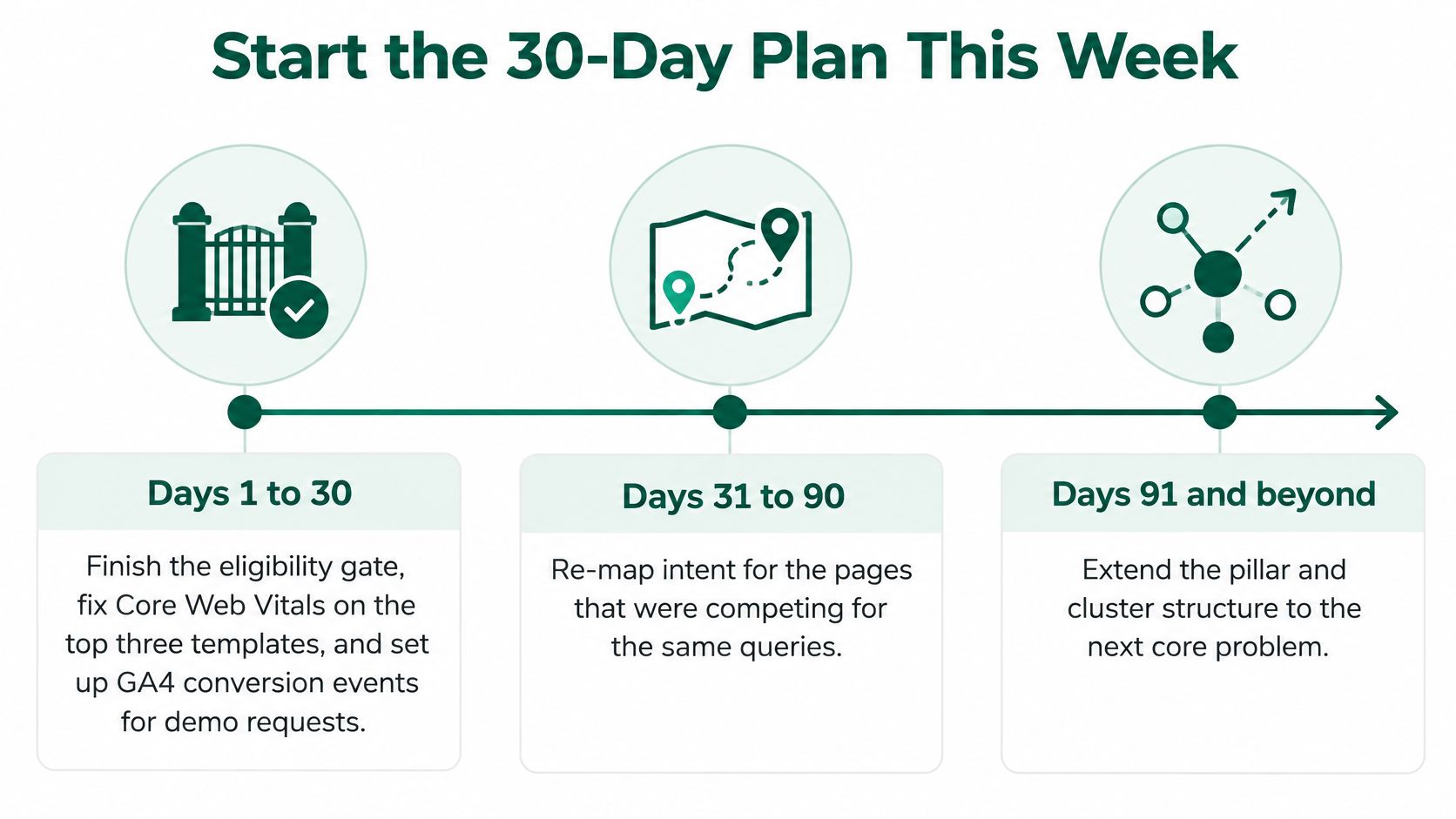
Days 1 to 30: Finish the eligibility audit, address the highest-impact performance issues across your top three templates, and configure GA4 events for completed demo requests. Validate those events against actual submissions before using them in leadership reporting.
Days 31 to 90: Re-map the top 30 commercially relevant queries, consolidate redundant pages, and publish a pillar with four to six supporting pieces. Include editorial review from product and sales before release.
Days 91 to 180: Begin targeted outreach for the strongest pillar assets, test conversion blocks on high-traffic supporting pages, and review landing-page cohorts. Extend into another core problem only when the team can maintain the existing material.
Create these templates during the opening month:
| Working template | Required fields | Metric it supports |
|---|---|---|
| Indexing audit sheet | URL, intended status, observed issue, owner, due date | Eligible commercial pages receiving impressions |
| Template performance tracker | Template, affected URLs, field issue, fix, owner, due date | Real-user performance by page group |
| Query-to-page map | Query, intent, owning URL, owner, review date | Relevant query visibility |
| Monthly KPI review | Page group, baseline, change, owner, next decision date | Qualified organic demo requests and pipeline |
Every document needs a named owner and a due date. A tracker that records problems without assigning decisions is another reporting burden.
Where the underlying website needs rebuilding, our website work includes a framework and sitemap, strategy and copywriting for all web pages, and an SEO-ready, conversion-focused build. That scope matters because structural and messaging problems shouldn't become disconnected projects.
Start this week with one owner, one page group, and one primary metric. Choose a commercial group with substantial existing traffic and weak conversion, provided that traffic matches your intended buyers. Review its first 28 days as an early diagnostic, not a verdict on long-term SEO performance.
Big Moves Marketing helps B2B SaaS startups build or improve their positioning and connect search priorities to a website that supports buyer evaluation. Visit Big Moves Marketing to discuss which page group to fix first, what's blocking its contribution to pipeline, and where your team should stop spending effort.