%20png%20copy.avif)
Plain text outperforms HTML on core engagement metrics, with a 21% higher open rate and a 17% higher click rate in a 2022 analysis of more than 4 billion emails. For most B2B SaaS scenarios, simpler is structurally superior, although HTML still has a role when visual depth matters more than direct response.
That finding challenges one of the most persistent assumptions in B2B marketing: that a polished, branded email automatically looks more credible. It often looks more like a campaign. For a prospecting message, that distinction matters. Buyers don't judge a format in isolation. They infer intent from the format, the amount of code behind it, the number of links, and whether the message resembles something a person would send directly.
HTML vs text email is not a visual preference. It's a decision about inbox access, attention, accessibility, measurement, and buyer context. A rich template can create more visual engagement among recipients who see it, while simultaneously reducing the number of people who receive it or respond to it.
Senior SaaS teams should stop asking which format is more professional. They should ask which format best matches the job the email must perform.
The strongest evidence comes from a large 2022 analysis of more than 4 billion emails, where plain text produced a 21% higher open rate and a 17% higher click rate than HTML. The benchmark also reported open rates of 24.3% for plain text, 20.6% for simple HTML, and 17.4% for heavy HTML, with click rates of 5.7%, 4.6%, and 3.3%, respectively (Marketing Scoop's benchmark summary).
That isn't a marginal design preference. It indicates that each layer of visual complexity can create friction before the recipient evaluates the offer. Heavy HTML asks the mailbox provider to process more structure and asks the recipient to interpret more signals. A short plain-text message does neither.
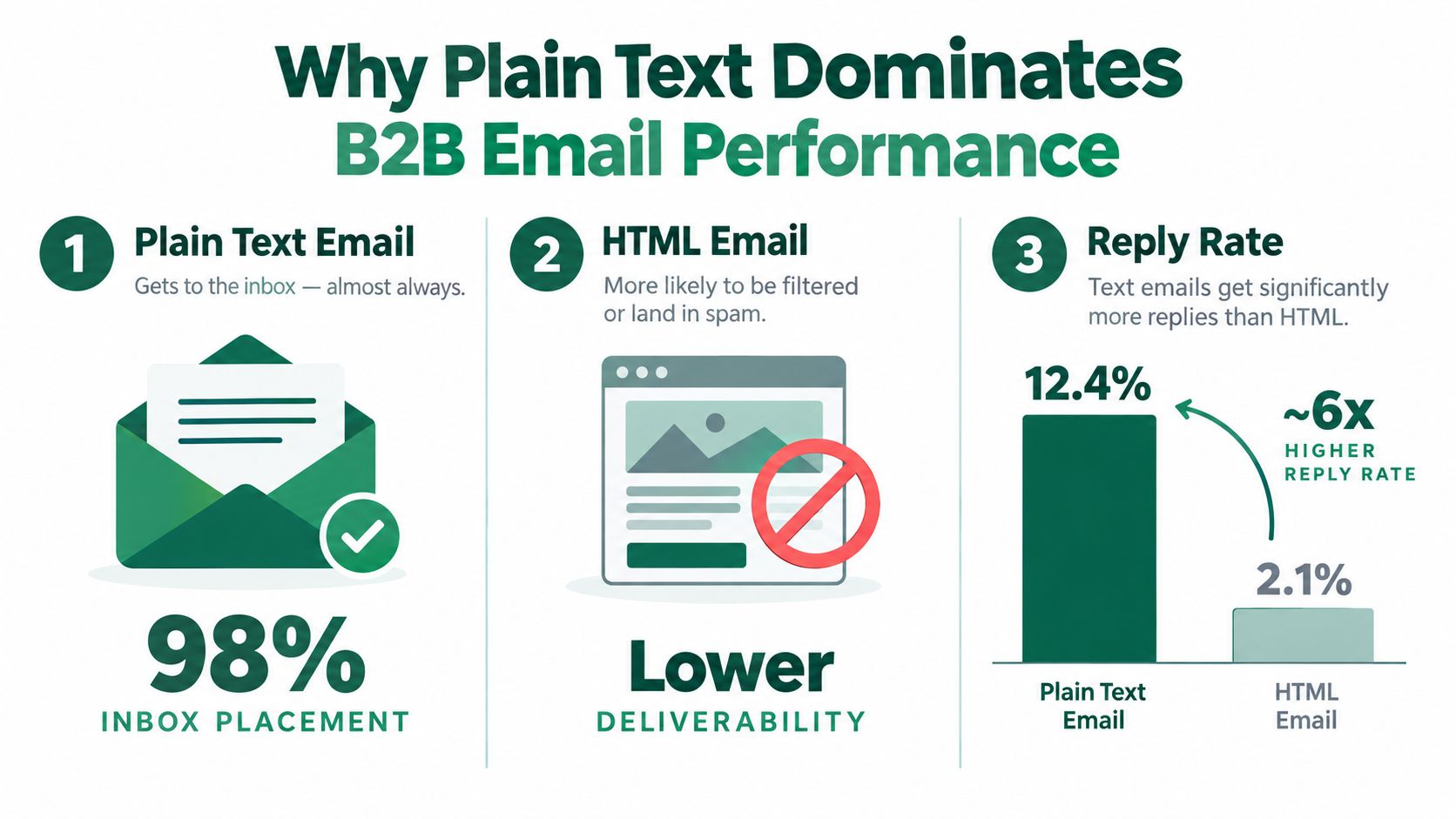
SaaS marketers often use design as a proxy for trust. That logic makes sense on a website, where layout helps buyers understand a complex product. It doesn't transfer cleanly to a one-to-one email. In outbound, a branded header, multiple modules, and tracking links can make a message resemble a mass send rather than a deliberate note from a founder or sales leader.
A recipient considering a new infrastructure product, security platform, or workflow tool usually needs a clear reason to respond. They don't need evidence that the sender can assemble an attractive template. Plain text puts the argument ahead of the presentation.
Strategic implication: If the email's desired action is a reply, remove anything that makes the message feel like a broadcast.
This doesn't make HTML useless. It means HTML has to earn its complexity. A visual product announcement, a newsletter with several distinct editorial items, or an email that depends on diagrams may justify it. A prospecting note asking whether a problem exists usually doesn't.
For founders researching capital markets or building investor outreach, a practical resource such as Gritt's search for early-stage US investors can help identify relevant audiences. The same principle applies to the email itself: relevance and directness carry more weight than ornamental formatting.
Teams should also treat email as part of a broader acquisition system, not a standalone channel. Big Moves Marketing's guidance on the benefits of email marketing is useful in that context, because the channel's value depends on how well the message supports positioning, segmentation, and a clear next step.
HTML email is a coded document that controls layout, typography, colors, images, buttons, spacing, and other presentation elements. Plain text contains characters without that presentation layer. It can still use deliberate wording and line breaks, but it cannot place images or hyperlinks in the same way HTML can (CreateSend's explanation of plain-text limitations).
The difference is structural, not merely visual. HTML gives the sender more components to manage, while plain text limits the message to content that email clients can display directly. The recipient's email client then determines which available representation appears.
Professionally sent email commonly uses a multipart/alternative MIME structure with both a text/plain part and a text/html part. The client displays the last version it understands, so a client that supports HTML generally renders that part when the plain-text version comes first (Word to the Wise's technical explanation).
An automatically generated fallback is not necessarily a usable plain-text message. Many platforms create it by stripping tags from HTML, which can leave awkward line breaks, missing context, and link-heavy copy. B2B marketing teams should edit the plain-text version separately.
Implementation rule: Treat the plain-text part as a real version of the message, not as technical residue left behind by the template.
The distinction matters most when a campaign depends on richer media. A product email built around video, an image sequence, or an interactive explanation needs a clear explanation of what remains when the visual layer fails. Guidance on how to embed a video in an email helps with implementation, but the strategic test is simpler: if the recipient cannot load the asset, does the message still make sense?
Before deployment, the HTML Email Checker can identify rendering problems. It will not resolve a format mismatch. Valid HTML can still be the wrong structure for a cold prospect whose intended action is a reply.
Inbox placement comes before engagement. If a mailbox provider filters the message, a stronger subject line cannot recover the missed audience.
A 2026 inbox-placement test reported that identical plain-text and HTML messages reached 93.1% and 78.4% of inboxes, respectively. It also recorded 12.3% soft bounces and 38.7% spam-filter flags for HTML, making HTML 14.7 percentage points worse on inbox placement in that benchmark (Mailtester's deliverability test).
Mailbox providers evaluate more than the words in an email. HTML adds markup, links, images, tracking elements, and layout instructions. Each component may be legitimate, yet the combined structure can resemble bulk marketing, deceptive destinations, or concealed content.
Filters do not reject HTML just because it is HTML. HTML gives heuristic systems more signals to assess. Plain text has fewer structural variables. A complex template introduces more failure points, including malformed code, unusual link patterns, and image-heavy layouts.
The practical effect is asymmetric. A team can refine its call to action while the recipient never sees it because the message has already contributed to a filtering decision. Strong copy cannot compensate for failure at the infrastructure layer.
Cold outreach depends on relevance and personal intent. HTML can weaken both signals before a prospect reads the opening sentence. A founder's direct note and a promotional template communicate different sender purposes, even when their wording is identical.
Teams looking for ways to boost cold email reach should assess format alongside list quality, targeting, sender behavior, and message relevance. Format cannot replace sound sending practices, but it can change the amount of scrutiny a campaign receives.
Open tracking creates a measurement problem. Plain text cannot support open tracking because opens rely on a tiny invisible image request that plain text does not contain. The Big Moves Marketing perspective on tracking email opens explains how that instrumentation works and why recorded opens remain an indirect signal.
That distinction matters operationally. HTML can produce more observable activity without producing more replies, qualified conversations, or pipeline. Leaders who optimize for measured opens may therefore favor a format because it reports more data, not because it creates more commercial value.
A format can make performance easier to report while weakening delivery and response efficiency. Evaluate it against inbox placement and business outcomes, not visibility alone.
Plain text is often presented as a deliverability tactic. That framing is incomplete. The more serious issue is that many HTML emails are difficult or impossible for some recipients to use.
Recent research tested 443,585 HTML emails and found that only 0.11% passed WCAG checks, while 99.88% contained serious or critical accessibility defects (Mailwarm's HTML accessibility analysis). Those figures don't prove that every HTML email excludes every screen-reader user. They do show that accessibility quality is the exception, not the default.
HTML allows marketers to control the visual experience. It also creates opportunities to break the experience for recipients who use screen readers, keyboard navigation, high-contrast settings, or constrained connections. Images may lack meaningful alternative text. Tables may create confusing reading order. Decorative elements may interrupt the message's hierarchy.
Plain text avoids many of those failure modes because the content arrives as a sequence of characters. It doesn't require the client to interpret a visual layout before the recipient can understand the point. That doesn't make every plain-text email accessible by default. Dense paragraphs, ambiguous links, and poor structure can still create problems. It does reduce the number of technical layers that can obstruct comprehension.
Enterprise buyers evaluate more than feature depth. During a serious sales process, they may examine how a vendor communicates, supports users, and handles operational standards. An inaccessible email isn't only a compliance concern. It can signal that the marketing team prioritizes appearance over usability.
That signal matters for SaaS companies selling into regulated, technical, or procurement-heavy environments. A product team that claims to simplify complex work loses credibility when its own communications fail basic inclusive design principles.
Brand risk: An attractive email that some buyers can't navigate is not polished communication. It's incomplete delivery.
Leaders shouldn't respond by banning HTML across every program. They should demand a higher standard from the HTML they approve. That includes meaningful structure, readable content without images, sensible link text, and a clear fallback. When a message doesn't need visual treatment, plain text is often the more responsible decision.
Format should follow the buyer task, not the marketer's attachment to a template. Plain text is usually the stronger choice when the sender wants a reply from a specific person. HTML is more defensible when the recipient has opted into a structured content experience and the visual layer carries information that would be costly to express in words.
One industry summary reported that recipients spent 2.5 times longer reading HTML emails than plain text, while plain text generated 42% higher open rates on average and HTML had 21% lower click-through rates than plain text in the cited studies. That summary also reported that plain text captured 60% of conversions from existing customers and 49% from newcomers in one set of studies (Stripo's benchmark summary).
The tension is clear. HTML may support longer reading sessions, while plain text can create more efficient direct response. Those outcomes serve different stages of a SaaS journey.
| B2B SaaS situation | Preferred format | Strategic reason |
|---|---|---|
| Founder-led prospecting | Plain text | The message should feel deliberate and personal |
| SDR sequence | Plain text or restrained multipart email | The commercial objective is usually a reply |
| Product education for opted-in leads | Simple HTML | Structure can support depth and scanning |
| Brand newsletter | HTML with a strong text version | Visual hierarchy may help organize several topics |
| Transactional notification | Plain text or minimal HTML | Clarity matters more than presentation |
| Technical product announcement | HTML when diagrams are essential | Visual information can carry meaning the text cannot |
For outbound prospecting, use plain text when the message depends on relevance, timing, and a clear question. Don't add a logo, image, or decorative section merely to make a short note look complete. Those elements rarely fix weak positioning.
For warm nurture, HTML can be useful because the recipient has already accepted a content relationship. A product comparison, implementation diagram, or multi-part newsletter may benefit from visual grouping. Keep the design restrained, and preserve the message's meaning when images are disabled.
A transactional email has a different standard. The recipient already knows why the company is contacting them. They need the status, next action, or confirmation. Extra design can distract from that job.
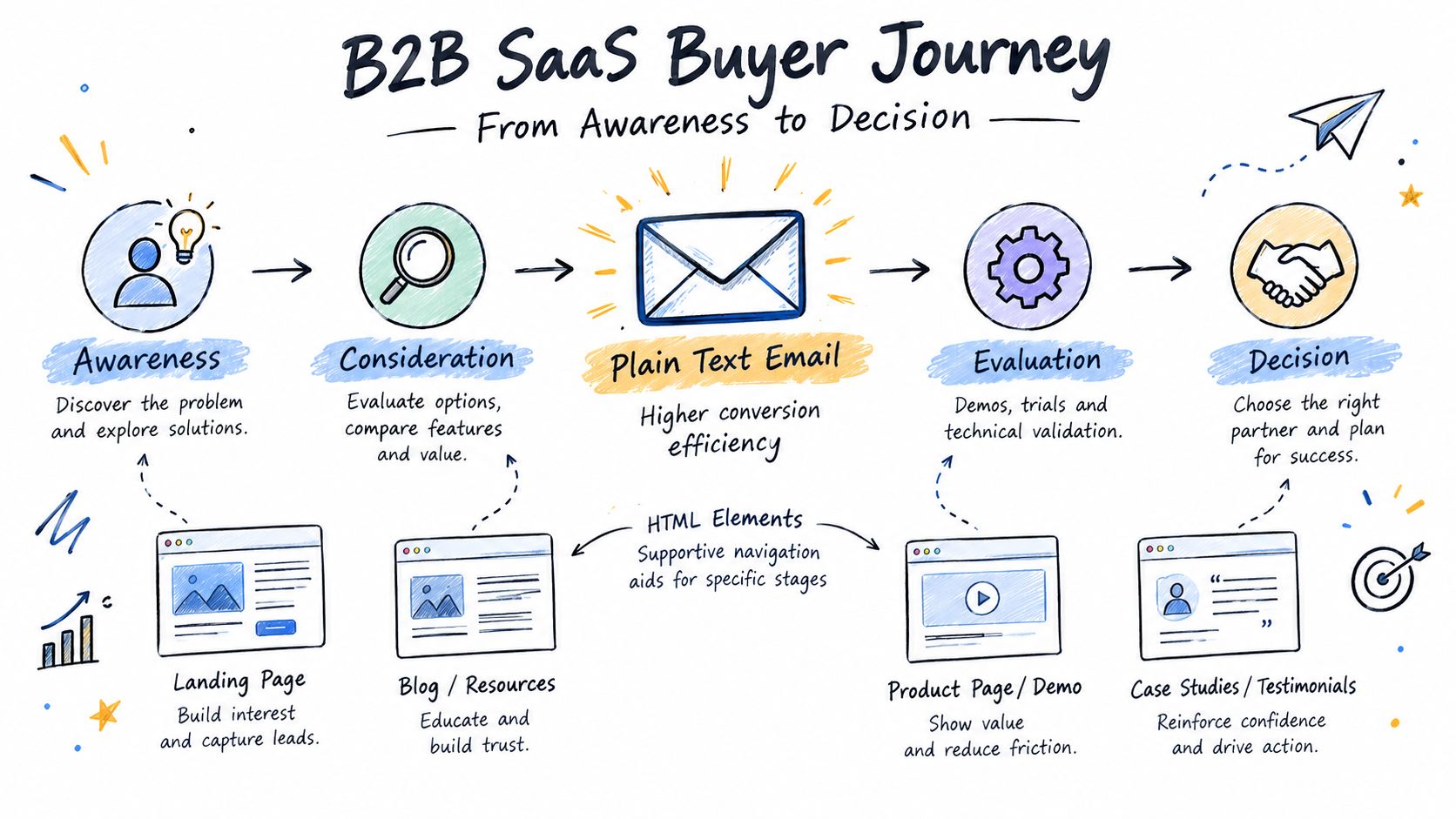
At awareness, a newsletter can use HTML to make several ideas easier to scan. During evaluation, a visual product explanation may shorten the path to understanding. Near a decision, however, a direct note from an executive or account owner may perform better as plain text because the buyer is deciding whether to engage with a person, not browse a campaign.
This is why the format shouldn't be fixed at the company level. A PLG company may use HTML for onboarding education and plain text for expansion conversations. A sales-led company may use plain text for account-based outreach while retaining HTML for customer communications.
Teams working on lead generation through email marketing should define the desired behavior before selecting the template. If the goal is a reply, optimize for conversational credibility. If the goal is content consumption, use structure where it improves comprehension.
Industry benchmarks are directional. Your own audience, sender identity, offer, list source, and sales motion determine the decision that matters. A founder writing to a narrow group of technical buyers shouldn't assume that a newsletter benchmark predicts the response to a direct note.
Start by defining one commercial outcome. For outbound, that may be a positive reply or a booked conversation. For nurture, it may be a product-page visit or a qualified hand raise. Don't let open rate become the default success metric when one variant has a measurement capability the other lacks.
A credible test changes the format while holding the important variables steady.
Use comparable audiences. Split a sufficiently large, similar portion of the same eligible segment between plain text and HTML. Don't compare a new prospect segment with an older customer list.
Keep the message constant. Use the same sender, subject line, offer, call to action, timing, and follow-up logic. If the words change as well as the format, you won't know what caused the result.
Define the primary event in advance. For a sales sequence, count meaningful replies rather than opens. For nurture, connect clicks to downstream actions instead of treating any interaction as success.
Run long enough to avoid early noise. The test should capture the normal sending cycle and enough observations to support a defensible conclusion. Don't call a winner because one version performs well in the first few hours.
Review quality, not just volume. A reply that says “remove me” isn't equivalent to a reply that identifies a live problem. Connect results to CRM outcomes where possible.
Send both versions through a multipart/alternative structure when the campaign requires HTML. Write the plain-text version intentionally, with readable spacing and descriptive destinations. Don't assume an automatic conversion will preserve the argument.
The measurement model needs equal care. Plain text can't generate an open event without an invisible image, so the absence of open data isn't proof that recipients ignored the message. Track replies, clicks where links are present, meetings, qualified opportunities, and revenue influence instead.
Testing principle: Don't optimize for the metric that only one format can produce.
A restrained HTML version can sometimes be a useful middle ground. Remove unnecessary images, excessive links, and decorative modules. Test rendering across the clients your buyers use, then inspect the fallback as if you were receiving it on a constrained device.
Email also needs to fit the rest of the operating system. Guidance on marketing automation for SaaS is relevant when teams connect segmentation, lifecycle triggers, content, and sales follow-up. Automation increases consistency, but it also scales a bad format decision. Fix the message and audience logic before increasing send volume.
The conclusion should be practical. Use plain text when the email needs to earn a response from a person. Use HTML when visual structure improves understanding for an audience that expects it. Use multipart delivery when both experiences matter, and judge the decision through the commercial event rather than the easiest dashboard metric.
Big Moves Marketing helps B2B SaaS teams clarify positioning, choose the right growth motions, and connect email decisions to pipeline rather than vanity metrics. If your format, messaging, and buyer journey aren't aligned, visit Big Moves Marketing to discuss a sharper growth plan.




%20-%20white.svg)