%20png%20copy.avif)

Pick Mixpanel if you run a PM-led team that needs fast funnels and cost you can forecast. Pick Amplitude if you run a data-mature org that needs behavioral forecasting and governance at scale. That’s the whole decision, stated plainly. Everything else in this guide is the evidence behind it.
Both platforms track user behavior. They diverge hard on speed, depth, and who has to operate them day to day.
A 30-day head-to-head test found Mixpanel faster and easier day to day, with Amplitude ahead on predictive analytics and governance. Review platforms like G2 show both scoring similarly overall, with the gap showing up in how each earns its rating, not how much. Bigmoves has run analytics pilots across both platforms with SaaS clients, and the pattern holds: the right choice tracks your team’s data maturity, not your company’s size.
The right analytics platform depends on your team’s data maturity, not your company’s headcount, and the wrong choice costs months of misread dashboards.
| Point | Details |
|---|---|
| Match platform to team, not size | PM-led teams favor Mixpanel’s speed; data-mature orgs favor Amplitude’s depth. |
| Instrumentation philosophy shapes cost | Explicit events (Mixpanel, Amplitude) yield cleaner data than autocapture (Heap) but need more upfront engineering. |
| Pricing scales differently | Event-based pricing forecasts easier for startups; MTU pricing suits large user bases with fewer events per user. |
| Pilot before committing | A 30-day pilot instrumenting core flows reveals speed, cost, and data quality better than any vendor demo. |
| Bigmoves runs the pilot for you | Bigmoves scopes core events, builds initial dashboards, and delivers a platform recommendation as part of its go-to-market work. |
Mixpanel and Amplitude were built to answer different questions, and that shapes everything downstream, from pricing to setup time.
Mixpanel is event-first. You define what matters (signup, upgrade, churn) and instrument it explicitly. That upfront work pays off in query speed. Ask “how many users completed onboarding last week” and Mixpanel answers it almost instantly, because the event was defined cleanly from day one.
Amplitude is behavior-first. It’s built to model journeys across sessions, devices, and weeks, then surface patterns a human analyst might miss. It excels at questions like “which behavior in week one predicts retention in month three.” That’s a harder question, and it needs more data infrastructure to answer well.
A PM asking “why did activation drop this sprint” gets a faster answer from Mixpanel. A data scientist asking “what early behavior predicts a power user six months out” gets more horsepower from Amplitude.
Pro Tip: Before picking a platform, write down the five questions your team actually asks every week. If they’re all “how many” and “what percent,” you want speed. If they’re “what predicts” and “what pattern,” you want depth.
Choose Mixpanel if:
Choose Amplitude if:
A small startup team validating product-market fit generally fits Mixpanel: the team ships fast, and query speed is critical. Larger scale-ups with dedicated analytics teams may benefit more from Amplitude’s cohorting and governance capabilities. A mobile-first consumer app juggling iOS, Android, and web sessions leans toward Amplitude for its cross-platform behavioral graphs.
Hybrid cases exist too. Teams running warehouse-native setups (Snowflake or BigQuery as the source of truth) sometimes delay the choice entirely, piloting both platforms against the same warehouse before committing. If your stack is still forming, that’s the right instinct. Don’t lock in a platform before you know what your data actually looks like at scale.
Here’s where the philosophical differences turn into concrete feature gaps. Heap enters the picture here too, since its autocapture model solves a different problem than either Mixpanel or Amplitude.
| Feature category | Mixpanel | Amplitude | Heap |
|---|---|---|---|
| Best for | PM-led teams, fast iteration | Data-mature enterprises | Teams wanting zero-instrumentation start |
| Events & funnels | Explicit instrumentation, fast queries | Explicit + derived events, deep funnel logic | Autocaptured, retroactively defined |
| Cohorts & retention | Solid cohort builder, simple retention curves | Advanced behavioral cohorting, predictive retention | Cohorts built from captured interactions |
| Session replay / heatmaps | Limited, add-on dependent | Available in higher tiers | Native heatmaps and session replay |
| Experimentation | Basic, third-party friendly | Native experimentation tied to cohorts | Limited native experimentation |
| AI & automated insights | Query assistance, anomaly flags | Predictive cohorts, natural-language queries | Auto-generated insights from captured data |
| Integrations & warehouse | Standard connectors, growing warehouse support | Bidirectional Snowflake/BigQuery sync | Warehouse export, CDP feeds |
| Implementation complexity | Moderate, engineering-light | Higher, needs data modeling | Low upfront, high curation over time |
| Support & documentation | Strong self-serve docs | Enterprise support tiers | Adequate docs, smaller community |
The practical difference for a PM shows up in query UX. Mixpanel’s interface is built for someone who wants an answer without writing SQL. Amplitude’s interface assumes you’ll eventually want to go deeper, so the learning curve is steeper but the ceiling is higher. Userpilot’s comparison frames it well: Amplitude ships native experimentation tied to behavioral triggers, while Mixpanel prioritizes funnel simplicity and setup speed.
Heap’s autocapture changes the calculus entirely. Instead of defining events upfront, Heap captures every interaction by default, letting you define events retroactively once you know what matters. That’s powerful for exploratory analysis early on, but it front-loads a different cost: someone has to curate and clean that raw interaction data before it’s trustworthy for reporting.
Pro Tip: Whichever platform you pick, define your five to ten “north star” events before writing a single line of tracking code. Undefined events are the number one reason funnel data gets messy six months in, regardless of which vendor you chose.
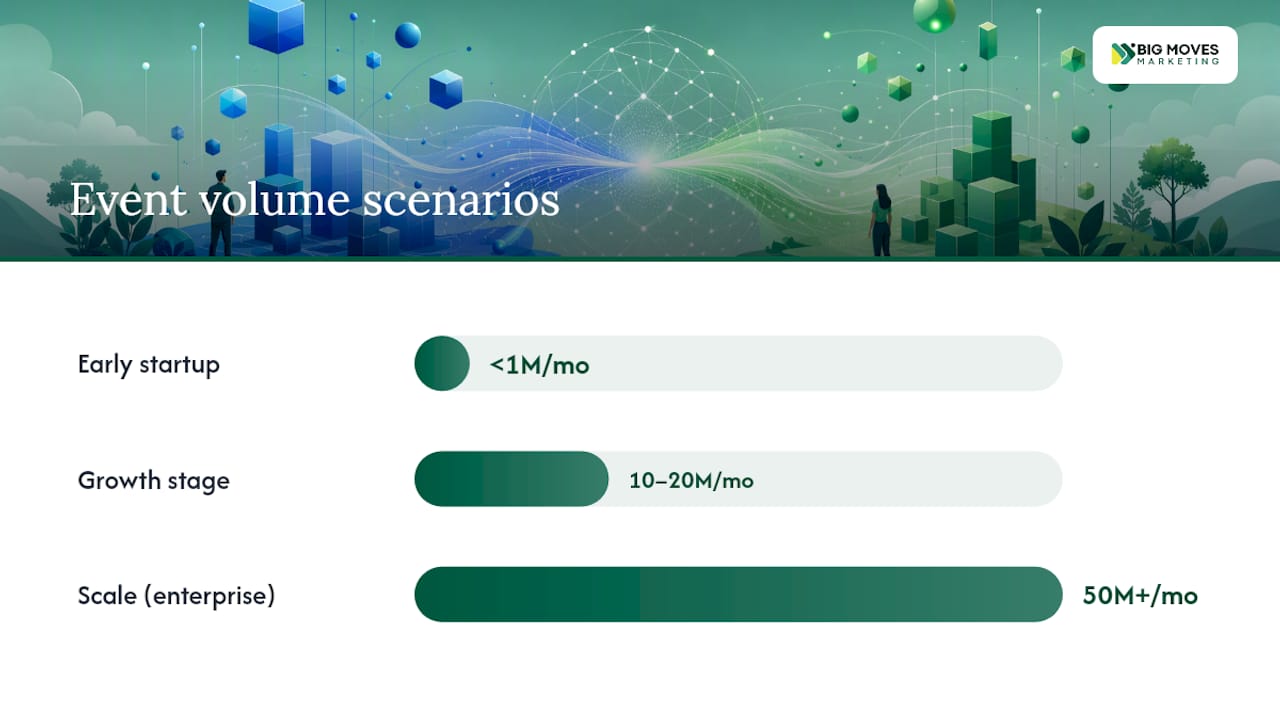
Pricing follows two models: event-based pricing, where you pay for volume of tracked actions, and monthly-tracked-user (MTU) pricing, where you pay per unique active user regardless of how many events they trigger. Mixpanel has historically leaned toward the event-based and MTU hybrid with a generous free tier, and it’s been positioned as more startup-friendly on cost predictability. Amplitude targets enterprise budgets, with pricing structured around MTUs and add-ons for governance and experimentation.
Three scenarios show how this plays out:
Ways teams control cost regardless of platform:
Run your own SaaS marketing metrics against projected event volume before signing an annual contract. It’s the fastest way to catch a pricing mismatch before it becomes a budget problem.
SDK coverage is solid across both platforms for web, iOS, and Android. The real difference is autocapture versus explicit instrumentation. Mixpanel and Amplitude both support autocapture add-ons, but their core strength comes from intentional event definitions your engineering team writes and maintains. Heap flips that: it captures everything automatically, then you define events after the fact.
A typical rollout looks like this:
Checklist before you start: a named PM owner, one engineer with bandwidth, and someone (even part-time) who can sanity-check the data once it’s flowing. Warehouse-native setups reduce long-term friction because your event data lives in infrastructure you already control, but they add setup time upfront since you’re wiring the platform to your own warehouse instead of using a hosted default.
Amplitude offers native experimentation that ties directly into its behavioral cohorts, so a test group and a control group can be compared against the same retention curves you’re already tracking. That’s a real advantage if experimentation is central to how your team ships.
Mixpanel’s experimentation support is thinner. Most teams pair it with a dedicated feature-flag system (think LaunchDarkly-style tooling) and sync results back into Mixpanel for reporting.
Pro Tip: Cap the number of experiment-related events you track per user. Teams that log every flag evaluation as a separate event often see their event volume, and their bill, spike well beyond what the experiment actually needed.
Both platforms now ship AI features: predictive cohorts, automated funnel discovery, and plain-language querying where you type a question and get a chart back. Amplitude’s predictive models lean toward forecasting which users will churn or convert. Mixpanel’s AI leans toward faster query assistance and anomaly flags inside dashboards you already built.
Treat AI-generated cohorts and predictions as a hypothesis, not a verdict. These models are only as good as the event data feeding them, and a messy taxonomy produces confident-sounding, wrong answers.
Pro Tip: Before acting on an AI-recommended cohort, rerun the same segment as a manual query. If the numbers don’t match closely, your event taxonomy needs cleanup before you trust the automated version.
Modern teams increasingly want their analytics platform to sync with a warehouse, not replace one. Amplitude has invested in bidirectional syncs with Snowflake and BigQuery, which supports enterprise activation workflows like pushing cohorts into ad platforms or CRMs. Mixpanel’s warehouse connectors have grown but remain less deep on the bidirectional side.
Role-based access, data partitioning by product line, and audit logs matter once you’re past a single small team. Amplitude’s governance tooling is built for multi-product orgs and regulated industries where “who accessed what data” is a real compliance question. Mixpanel offers role-based access too, but its governance depth is generally thinner at the highest enterprise tiers.
Scalability differs by workload, not just event count. At tens of millions of events a month, both platforms perform well. At hundreds of millions, query performance and cost start to separate teams that planned for scale from teams that didn’t.
Security and compliance checklist for procurement:
Run this as a structured evaluation, not a gut call.
Questions to ask vendor sales reps:
A pilot should prove three things: query speed matches your team’s patience, cost stays inside a range you can forecast, and the data model holds up once real users start generating messy, real-world behavior. If a platform fails any of those three during the pilot, that’s your answer, not a reason to extend the trial. Publishing your own product launch checklist alongside this pilot keeps the analytics work tied to a real shipping deadline instead of drifting indefinitely.
Assess, pilot, integrate. That’s the whole framework Bigmoves runs with SaaS clients evaluating analytics platforms, and it holds regardless of company size.
Assess means mapping your actual questions against platform strengths, not vendor marketing pages. A five-person startup usually needs three answers: activation rate, week-one retention, and where users drop off. That’s a Mixpanel-shaped problem.

Pilot means instrumenting a narrow slice, not your whole product, and timing how fast you get a trustworthy answer. A growth-stage product team with 50 million monthly events should pilot against their real event volume, not a demo account, since performance at scale is exactly what a demo won’t show you.
Integrate means connecting the winning platform to your GTM motion, not leaving it as a standalone dashboard nobody outside product checks. An enterprise with a dedicated analyst team gets the most value here, syncing behavioral cohorts into marketing and sales tools.
… This framework comes from running go-to-market and analytics work across dozens of SaaS engagements, not from a single vendor’s playbook…
Adoption speed usually comes down to one decision: which flows you instrument first. Teams that start with their entire product’s event list stall for months. Teams that instrument three core flows first see usable dashboards within weeks.
The most common failure isn’t picking the wrong platform. It’s picking the right platform and then letting one person own the entire setup. Analytics only pays off when a PM defines the questions, an engineer keeps the events clean, and someone, anyone, actually looks at the dashboards weekly. Skip any leg of that stool and the platform choice barely matters.
Choosing between Mixpanel and Amplitude is only half the job. Instrumenting it correctly, and connecting it to a go-to-market motion that actually uses the data, is where most teams lose months.
Bigmoves runs the pilot for you: scoping the core events worth tracking, setting up initial dashboards, and delivering a clear recommendation your team can act on instead of debating in a Slack thread for six weeks. That work pairs naturally with a broader go-to-market rebuild, especially if your website isn’t yet built to convert the traffic your new analytics setup will finally let you measure. If your team needs both the pilot and the site that turns that data into pipeline, Bigmoves’ website and go-to-market service covers that ground in one engagement. Schedule a consultation to scope your 30-day pilot and get a platform recommendation you can defend to your board.
Choose Mixpanel for fast, PM-led funnel work with predictable cost; choose Amplitude for behavioral forecasting and enterprise governance; choose Heap when you want zero-instrumentation capture before you know what to track.
Amplitude and Heap are Mixpanel’s closest competitors, with Amplitude competing on behavioral depth and governance and Heap competing on autocapture-driven exploratory analysis.
Mixpanel and Heap are Amplitude’s main competitors, with Mixpanel differentiating on speed and cost predictability and Heap on zero-instrumentation capture.
Yes. Amplitude is an established, publicly traded behavioral analytics company used widely by enterprise product teams, with governance and security features built for regulated and multi-product organizations.
A focused rollout instrumenting core events typically takes about four weeks: defining events, instrumenting and QA testing, building initial dashboards, and reviewing early signal.
Use warehouse-native mode when you want to avoid vendor lock-in and already have a mature Snowflake or BigQuery setup, since it queries your existing data instead of duplicating it into the analytics vendor’s infrastructure.




%20-%20white.svg)