%20png%20copy.avif)

Published on bigmoves.marketing/blog
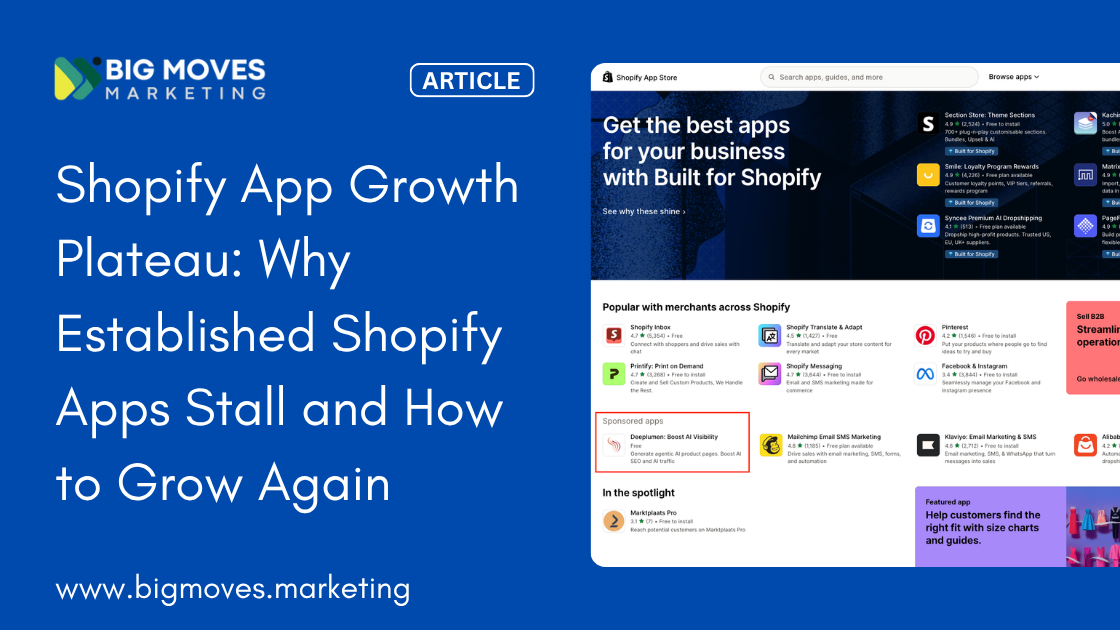
Building a Shopify app that genuinely solves a merchant problem is hard work. Getting merchants to find it, install it, actually use it, and then tell other merchants about it is an entirely different challenge — and one that most app developers dramatically underestimate when they launch.
The numbers reflect the difficulty. The Shopify App Store now hosts over 12,300 apps competing for attention across a finite universe of merchant categories. Over 79% of Shopify app developers have listed only a single app — meaning the vast majority of the competition is run by individuals and small teams who, like you, are figuring out growth as they go. The developer community collectively generated over $230 million in revenue in 2024, and that number is growing — but it's heavily concentrated among apps that have cracked the growth equation.
The good news: the opportunity has never been larger. Shopify now powers over 5.6 million active stores globally, processed more than $300 billion in GMV in 2025, and saw 18% year-over-year store growth. Approximately 87% of Shopify merchants use apps to enhance their operations, and on average, each merchant installs six apps in their store. That is a massive, growing, app-hungry market.
What separates the apps that grow from the apps that stagnate is not usually product quality. It's the deliberate application of a growth system — one that combines visibility in the App Store, a listing that converts visitors into installs, an onboarding experience that turns installs into active users, retention that converts active users into long-term subscribers, and a review engine that turns happy merchants into organic growth fuel.
This playbook covers all of it.
Before you can grow in the Shopify App Store, you need to understand what drives visibility in it — because the algorithm rewards specific behaviors, and most app developers are optimizing for the wrong things.
According to developer community research and Shopify's own documentation, the Shopify App Store ranking algorithm weighs several interconnected factors:
Review count and rating are the most heavily weighted signals. Apps with more reviews, higher average ratings, and — critically — more recent reviews rank higher than apps with older or sparser feedback. Anecdotal evidence from developers consistently identifies average rating and number of reviews as the most influential ranking factors alongside install volume. This creates a compounding dynamic: visibility drives installs, installs create the opportunity for reviews, reviews drive more visibility. The earlier you build this flywheel, the faster it spins.
Install velocity and retention are increasingly important signals. Apps that are gaining installs quickly signal relevance and demand to the algorithm. But the uninstall rate matters just as much — apps with high early churn are penalized in rankings, because Shopify uses retention as a proxy for product quality. This is one of the most important things to internalize as a Shopify app developer: retention is not just a revenue metric. It is a ranking signal.
Keyword relevance is the one ranking factor that's entirely within your control from day one, regardless of your current install base. How closely your app name, tagline, and description match a merchant's search query is a direct ranking driver — and it's the lever that new apps can pull immediately to get early visibility while building toward the other factors.
Update frequency signals active development and ongoing quality investment. Apps that are regularly updated — even with minor improvements — rank better than stagnant apps of equivalent install count, because Shopify surfaces this as a trust signal to merchants.
Built for Shopify status is a game-changer, and we'll cover it in depth shortly.
Every new app faces a genuine cold-start challenge. You need installs to get reviews. You need reviews to rank. You need to rank to get installs. The way out of this loop is to treat your first 50–100 installs as a manually driven process, not an organic one.
Practical ways to build early momentum without violating Shopify's guidelines:
Direct outreach to your existing network. If you have Shopify merchant relationships — through previous work as an agency, a freelancer, a Shopify Expert, or a community member — reach out personally and offer free access in exchange for honest feedback. These early merchants become both a product testing cohort and your first review sources.
Community participation. Authentic, helpful participation in the Shopify Community forums, Reddit's r/shopify, relevant Facebook Groups, and Slack communities builds awareness and trust before a merchant ever searches the App Store. Do not promote your app directly. Answer questions, be genuinely helpful, and let your profile link to your app listing.
Partner program connections. The Shopify Partner program gives you access to a network of agencies and freelancers who regularly recommend apps to their merchant clients. Building even a handful of these relationships early creates a referral channel that operates independently of your App Store ranking.
Trial incentives for early adopters. Offering extended free trials or a free plan to the first cohort of merchants who install your app reduces the friction of trying something new and increases the likelihood that those merchants engage, stay, and eventually review.
ASO for the Shopify App Store is the equivalent of SEO for a website — the deliberate optimization of your listing to rank for the searches your target merchants are running. Over 70% of Shopify app downloads come directly from search, making your app's discoverability in the store the primary acquisition channel for most apps. Getting this right is foundational.
Your app name appears in every search result, every category listing, and every recommendation surface across the App Store. It is the single highest-impact ASO element you have.
The most effective Shopify app names combine a memorable brand name with a clear, keyword-rich descriptor. Look at how top apps structure this: "Judge.me Product Reviews," "Privy – Pop Ups, Email, & SMS," "Klaviyo: Email Marketing & SMS." Each one communicates both identity and category in a single line. A merchant searching for "product reviews" sees Judge.me's app name and immediately knows it's relevant. A merchant browsing email marketing apps sees Privy's and understands the scope.
Include your primary keyword naturally in your app name where it fits. Then use the tagline — the subtitle visible in search results — as your headline. This 62-character field is your most important conversion surface after the name. Lead with the merchant outcome: "Get more sales with automated review requests" outperforms "Powerful review collection software" because the first speaks to what the merchant wants, and the second speaks to what you built.
Most merchants who visit your listing read the first three sentences of your description and make their decision based on those, the visuals, and your reviews. Structure your description accordingly.
Open with the specific problem your app solves, in the language merchants use when they describe that problem. Not "an advanced inventory management solution" but "if your Shopify store keeps running out of stock on your best sellers, this app prevents that." The former is feature language. The latter is merchant language. Using merchant language — the words your buyers use when describing their pain, not the words your team uses when describing your product — is the single most reliable way to improve listing conversion.
Follow with a clear, brief articulation of what the app does and what outcome merchants can expect. Then use bullet points to list specific features, with each bullet framed as a benefit rather than a function. "Real-time low stock alerts sent to your email" is a benefit. "Real-time inventory monitoring" is a feature. Merchants buy benefits.
Keyword placement matters throughout: include your primary and secondary keywords naturally in the description, as the App Store algorithm considers keyword density in your description as a relevance signal. Don't stuff — write for merchants first, algorithm second.
Your app icon and screenshots are the first visual impression a merchant forms of your app. Poor visuals — blurry screenshots, generic stock imagery, icon designs that look like they were made in 20 minutes — signal low investment and low quality before a merchant has read a single word.
Your icon needs to be distinctive, professional, and instantly recognizable at the small sizes at which it appears in search results and category listings. Invest in a properly designed icon. The return on a few hundred dollars spent on professional icon design is measured in years of improved click-through rate.
Your screenshots should tell a story, not just display the UI. Each screenshot should communicate a specific benefit or capability, with a caption that explains what the merchant is seeing and why it matters for their business. The first screenshot carries the most weight — it should communicate the single most compelling value your app delivers, visually and in the caption. Think of it as a billboard: one message, clearly communicated, impossible to miss.
If you have a video preview, keep it under 90 seconds, show the app in action from a merchant's perspective (not a developer's), and open with the problem being solved rather than a product tour. Merchants scan video the way they scan everything — quickly, looking for relevance.
Identifying the right keywords requires thinking like a merchant, not a developer. The merchant searching for your app isn't searching for "advanced predictive inventory management." They're searching for "shopify low stock alert" or "restock notification app shopify."
Practical ways to build your keyword list: type your core use case into the Shopify App Store search bar and study the autocomplete suggestions — these are the actual searches merchants are running. Review the search terms that top-ranked apps in your category include in their names and descriptions. Use Google Keyword Planner with "Shopify" prefixed to your core terms to understand search volume and related terms. Study the language in Shopify community forums and merchant Facebook groups — the words merchants use when describing problems are the words they search.
Target a primary keyword (your core use case, included in your app name), secondary keywords (related use cases and feature terms, included in your description), and long-tail terms (specific, high-intent phrases that lower-volume competitors may be ignoring). Shopify allows you to add up to 20 search terms to your listing separately from your description — use all 20 with genuinely relevant, non-redundant terms.
If there is one growth investment that delivers disproportionate return for serious Shopify app developers, it is achieving the Built for Shopify (BFS) badge.
Built for Shopify is Shopify's quality certification program for apps that meet their highest standards across performance, design, security, and merchant support. The badge appears on your app card everywhere it shows up in the App Store — in search results, category pages, and recommendation surfaces — and it carries genuine weight with merchants.
81% of merchants surveyed by Shopify said that highlighting factors like performance and reliability on an app listing has a major impact on their decision to install. The BFS badge communicates all of those factors in a single, immediately recognizable signal of quality.
The growth impact is concrete. According to Shopify's own data, apps with Built for Shopify status see an average increase of 49% in new installs within just 14 days of achieving status. BFS apps receive priority placement in search results, appear in the "Recommended for you" sections across category pages, get surfaced by Shopify's AI assistant Sidekick in the admin, and are eligible for special features in Shopify's curated "In the Spotlight" homepage section. And in March 2025, Shopify extended BFS benefits to include merchant plan-based ad targeting — BFS apps can now target their App Store ads specifically to Plus merchants, Retail merchants, or other tiers.
One indie developer documented their experience publicly: achieving BFS status for their invoicing app in June 2025 created a "noticeable uptick in installs" visible immediately on their growth chart. They estimated approximately 20 hours of coding work to implement the requirements and described it as one of the highest-ROI investments they made on their app.
To qualify, your app must meet standards across three core areas: Performance (the app cannot decrease a merchant's storefront speed by more than 10 performance points — a meaningful constraint that requires efficient implementation), Design (the app must follow Shopify's Polaris design system, use App Bridge for admin integration, and provide a native-feeling experience), and Integration (the app must use Shopify's latest technology standards, including Online Store 2.0 compatibility).
Prerequisite minimums include at least 50 merchants actively using the app, at least 5 recent reviews with a strong average rating, and a response rate to reviews that demonstrates active support engagement.
The practical advice: if you're building a new Shopify app today, design with BFS requirements in mind from the beginning. The requirements are not arbitrary constraints — they represent genuinely good practices for app development, and meeting them from the start is far less expensive than retrofitting an existing app. And the sooner you achieve the badge, the sooner you benefit from the visibility boost.
Ranking in the App Store and converting visitors to installs are two different problems. An app that ranks well but has a poorly converting listing is a pipeline with a large leak. The goal is to turn every merchant who views your listing into an install.
A merchant visiting your app listing is evaluating several things simultaneously, often in under 60 seconds:
Social proof. How many reviews does this app have? What's the rating? When was the last review posted? A handful of old reviews with an average rating below 4.5 raises immediate doubt. A consistent stream of recent, specific, positive reviews from merchants whose stores resemble theirs creates confidence.
Relevance to their specific situation. Does this app actually solve the problem they came looking for? The more specific your listing is about who it helps and what problem it solves, the more a merchant in your target segment feels they've found the right solution.
Risk removal. Is there a free plan or free trial? How complex is setup? Is support responsive? Merchants are installing a tool into the core operational system of their business — they're cautious. Every element of your listing that reduces perceived risk (free trial, clear setup time expectation, prominent support access, evidence of developer responsiveness) reduces the barrier to the install decision.
Developer credibility. How does the developer respond to negative reviews? How recently was the app updated? Does the developer profile feel professional and committed? These signals collectively answer the unspoken question: "If something goes wrong with this app, will someone help me?"
Reviews are simultaneously the most important ASO ranking signal and the most powerful conversion driver on your listing. A 4.9-star average from 200 recent, specific reviews converts dramatically better than a 4.7-star average from 50 old reviews.
The implications are clear: building a systematic, always-on review generation process is not optional for serious Shopify app growth. It needs to be baked into your product and customer journey, not treated as a one-time campaign.
The highest-converting moments to request a review:
Post-value achievement: when a merchant completes their first successful use of your app's core function — their first automated email sent, their first inventory restock triggered, their first review collected from a customer — is the moment of maximum satisfaction. Build a trigger that asks for a review within 24–48 hours of that milestone.
Post-onboarding success: approximately 7–14 days after install, once the merchant has experienced the app working in their store, a well-timed email asking for feedback converts well. Keep it brief and personal-feeling: "Hi [name], you've been using [App] for about a week — how has it been? We'd really appreciate a quick review."
After a positive support interaction: a merchant who has just had a problem solved by your support team is often the most enthusiastic advocate. A simple follow-up message asking if the issue was fully resolved, with a link to leave a review, captures reviews from exactly the merchants most likely to leave positive ones.
Ongoing cadence for long-term users: merchants who have been using the app for 3–6 months and are clearly engaged (active usage, no support issues) are valuable but underasked. A periodic in-app prompt — not an intrusive pop-up on every login, but a thoughtful contextual ask once every few months — captures the long-term satisfied user who would happily review but never thought to do it unprompted.
One critical note: Shopify's review guidelines strictly prohibit incentivizing reviews (offering discounts, credits, or free features in exchange for reviews), pressuring merchants with guilt-based language, or asking merchants specifically for 5-star reviews. Violations risk losing your app listing entirely. Work within the guidelines and trust that a great product plus thoughtful timing produces a strong review profile over time.
How you respond to a negative review is visible to every prospective merchant who reads your listing. A defensive, dismissive, or generic response to a 1-star review tells the market that your support experience matches that review. A professional, empathetic, solution-oriented response — even to a harsh or unfair review — tells the market that you're the kind of developer who takes care of merchants even when things go wrong.
The framework for responding to negative reviews: acknowledge the specific issue (not a generic "we're sorry you had a problem"), explain what happened or what you've done to address it, and invite the merchant to reach out directly to resolve the issue fully. This response is not primarily for the merchant who left the review — it's a sales message to every merchant reading the listing who wants to know what it's like to be your customer when something goes wrong.
Most discussions of Shopify app growth focus heavily on acquisition: how to get more merchants to install the app. The data consistently shows that the far bigger growth lever is what happens in the first 14–30 days after install — and most apps handle this badly.
When a merchant installs your app and doesn't reach a meaningful outcome quickly, they uninstall. This is not a product-market fit failure — it is an onboarding failure. The product might be exactly right for their needs, but if the path from install to value is too long, too confusing, or too demanding of the merchant's time, they won't stay long enough to find out.
This matters profoundly for growth because of how the Shopify App Store algorithm works. High early churn signals to Shopify that your app is not delivering on its promise. That suppresses your ranking. Fewer installs from ranking → fewer users to potentially retain → weaker review velocity → further ranking suppression. The entire flywheel runs in reverse.
Conversely, apps with strong early retention compound their advantage over time: better retention → more reviews → better rankings → more installs → more data to improve onboarding → even better retention.
The single most important metric in your app's first 30 days is not install count. It is time to first value — the number of days between install and the first meaningful result a merchant achieves with your app.
Identify your single most important activation event. What is the one action that, once completed, dramatically predicts whether a merchant will still be using your app 30 days later? For a reviews app, it might be "collected first customer review." For an inventory app, it might be "received first low stock alert." For an email marketing app, it might be "sent first automated campaign." That event is your north star metric for onboarding — every element of your first-run experience should be designed to get merchants to that moment as quickly as possible.
Use progressive disclosure. Don't show merchants everything on day one. A merchant who installs a reviews app doesn't need to configure your A/B testing features, your widget customization, and your multi-channel distribution on their first login. They need to successfully connect their store and set up their first automated review request. Show the one path to value. Save everything else for after they've had their first win.
Build an in-app setup checklist. A simple, visually clear checklist showing the 3–5 steps needed to complete setup — with each step clearly described and progress visually tracked — reduces the cognitive load of getting started. Merchants who see "Step 2 of 4 complete" are significantly more likely to finish setup than merchants who are dropped into a feature-heavy dashboard with no clear starting point.
Send a deliberate welcome email sequence. Most apps send one generic welcome email and stop. A well-designed 5–7 day welcome sequence — with each email focused on one specific setup step or success story — dramatically increases the percentage of installs that reach their activation event. Day 1: "Here's how to set up your first [core feature] in 3 minutes." Day 3: "Did you see your first [result] yet?" Day 5: "Here's how [similar merchant] used [App] to achieve [outcome]." Day 7: "Quick check — have you had a chance to get started?"
Prioritize support responsiveness in the first 7 days. A merchant who hits a setup problem in the first week and doesn't get a response within a few hours will often uninstall rather than wait. Many will leave a negative review describing the problem without ever giving you a chance to solve it. Being exceptionally fast and helpful in the first week — even at the cost of some founder time — dramatically reduces early churn and creates the conditions for positive early reviews.
Retention is the most important and most underinvested dimension of Shopify app growth. Almost every developer we've seen talk about their growth challenges frames it as an acquisition problem when it is actually a retention problem.
According to Shopify's own guidance on app metrics, a healthy Shopify app should target revenue churn below 5% monthly — meaning less than 5% of your monthly recurring revenue is lost to cancellations in any given month. Above that threshold, you are essentially running on a treadmill — acquiring merchants just to replace the ones churning out. Below it, your install base compounds and your growth becomes genuinely sustainable.
Understanding why merchants uninstall is the first step to reducing it. The most common triggers:
They never finished setup. A merchant who installed your app, got confused or overwhelmed during onboarding, and never reached their activation event is the easiest churn to prevent — and the most common. This is purely an onboarding problem, solvable with better first-run experience design.
They achieved setup but stopped seeing ongoing value. Initial excitement faded, usage dropped, and the app became invisible — present in their admin but not producing results they noticed. These merchants churn quietly, often weeks after they stopped caring. Win them back with proactive usage insights: "Your review collection rate dropped this month — here's how to fix it" surfaces value you're delivering that the merchant stopped noticing.
They hit a feature gap. The app does 80% of what they need but the missing 20% is important enough that they tried an alternative. This is a product feedback signal, not a marketing problem.
Price sensitivity at renewal. Especially for apps with monthly billing, merchants regularly audit their app spend. An app that hasn't demonstrated clear, ongoing ROI is at risk at every billing cycle. This is a value communication problem — you need to help merchants see the value your app is delivering even if they're not actively paying attention to it.
Send regular value summaries. A monthly email to each merchant showing what your app did for their store in the past 30 days — "Your app collected 23 reviews, your average rating went from 4.1 to 4.4 stars, and your conversion rate on product pages with reviews is 2.3x higher than on pages without them" — makes the value of your app visible and real. Merchants who see concrete numbers stop questioning whether the subscription is worth it.
Celebrate milestone moments. When a merchant processes their 100th order with your app, collects their 50th customer review, or sends their 1,000th automated email, recognize it. A simple in-app message or email that says "You just hit a milestone — here's what that means for your store" creates a moment of positive brand association and strengthens the relationship between the merchant and the product.
Build toward stickiness through data and history. Apps that accumulate merchant-specific data — review history, customer segments, performance benchmarks — become harder to abandon over time because switching means losing that data and history. Design your app so that the longer a merchant uses it, the more specifically valuable it becomes to their store.
Create win-back flows for dormant merchants. Merchants who have stopped using your app but haven't uninstalled yet are your most recoverable churners. A triggered email sequence for merchants who haven't logged into your app in 14 days — starting with a helpful re-engagement nudge and escalating to a direct offer of support if needed — recovers a meaningful portion of merchants who would otherwise quietly uninstall at their next billing review.
Annual plans as a retention anchor. Offering an annual billing option at a meaningful discount (typically 15–20% off the monthly equivalent) dramatically reduces churn at two levels: first, it removes the monthly cancellation decision entirely for the period of the subscription; second, merchants who have paid for a year are significantly more motivated to actually use the product and get value from it. Structuring your pricing to actively encourage annual adoption is one of the clearest retention levers available.
The Shopify App Store is your primary discovery channel — but it shouldn't be your only one. Apps that build distribution outside the App Store compound their growth advantage significantly, because external channels drive install velocity, which feeds the App Store algorithm, which produces more organic visibility.
The most powerful adjacent growth channel for most Shopify apps is the Shopify Expert and agency ecosystem — the thousands of developers, designers, and marketing consultants who build and manage Shopify stores for merchant clients and regularly recommend apps as part of their work.
A Shopify Expert who manages 20 Shopify stores and recommends your app to half of their new clients is worth dozens of App Store organic installs per year. Building this channel starts with genuinely engaging with the Shopify Partner community — in the Partner forums, at Shopify partner events, and through the Shopify Partner program itself — and creating materials that make it easy for agencies to understand, demonstrate, and recommend your app.
Practical steps: identify the Shopify agencies and experts who serve merchants in your target category, reach out personally with an offer to demo your app and discuss a referral arrangement, provide agencies with a dedicated partner landing page and clear referral incentive structure. Apps that build strong agency referral networks consistently report it as one of their highest-quality install sources — these merchants come pre-qualified, with an advocate who helps them onboard, and a higher likelihood of staying.
Building integrations with high-install complementary apps — and getting listed on each other's integration pages — is a powerful install acquisition strategy that leverages existing brand recognition in the merchant community.
The logic: a merchant using Klaviyo for email marketing who sees your reviews app is "officially integrated with Klaviyo" trusts both the integration and the app quality signal. They're already in a purchasing mindset with Klaviyo and they're inclined to trust apps that Klaviyo has blessed with a documented integration. Apps featured in complementary apps' "works with" sections get warm traffic from merchants who are already sold on the category.
Identify the 5–10 apps that most commonly appear in the tech stacks of your target merchants. Build genuine, documented integrations with the most important ones. Reach out to those app teams with a co-marketing proposal — a joint blog post, a joint case study, a mutual "recommended integrations" listing. These partnerships take time to develop but create compounding install sources that operate independently of your App Store ranking.
Shopify merchants search for help with their problems on Google, not just in the App Store. Building a content presence that answers the specific questions your target merchants are asking creates an acquisition channel that operates 24/7 and compounds over time.
Target queries that your ICP is actually searching: "how to get more Shopify product reviews," "why are customers leaving my Shopify store without buying," "best way to manage Shopify inventory restocking." For each of these queries, your app is the relevant solution — but the searcher doesn't know that yet. Content that genuinely answers their question, demonstrates expertise, and naturally positions your app as the tool that automates or improves the process they've been doing manually creates high-intent install traffic.
A small, well-targeted content program — six to twelve genuinely useful posts per year, each targeting a specific merchant pain point — can produce more qualified installs than months of paid acquisition at a fraction of the cost. The content builds over time, each post accumulating search visibility and install referrals for years.
Authentic, consistent presence in the communities where Shopify merchants spend time is a brand-building investment that pays in install volume and review quality.
The Shopify Community forums remain the most authoritative Shopify-specific discussion channel. Being genuinely helpful here — answering merchant questions thoroughly, without promotion — builds name recognition and trust in the most direct possible way. Merchants who encounter your name repeatedly as a helpful, knowledgeable presence are far more likely to install your app when they eventually need a solution in your category.
Facebook Groups for Shopify merchants (many with tens of thousands of active members), r/shopify on Reddit, and relevant LinkedIn communities follow the same principle: show up to help, not to sell. The installs follow from the relationships and the reputation, not from the promotion.
Your pricing structure is a growth lever as much as it is a revenue lever. How you price your app affects install conversion, review quality, churn rate, and long-term revenue in ways that most app developers don't fully account for.
The debate over whether to offer a free plan is one of the most common strategic questions for Shopify app developers, and the answer depends more on your specific situation than on any universal rule.
The argument for a free plan: free plans generate faster install velocity, which feeds the App Store algorithm. Free users generate reviews (including the early reviews every new app desperately needs). Free merchants become paying merchants if the app demonstrates enough value — and the conversion from free to paid, done well, is one of the most efficient revenue acquisition paths in the ecosystem. 45.71% of Shopify apps offer at least one free plan or free trial, suggesting the market has converged on this as a standard.
The argument against unlimited free plans: unrestricted free tiers attract merchants who will never pay, create disproportionate support load from low-value users, and can cheapen the perceived value of the product. A free tier with genuine limitations that create natural upgrade motivation is far better than a generous free tier that lets merchants get everything they need without ever having a reason to upgrade.
The practical recommendation: offer a free plan or trial (free trials of 7–14 days are common and effective) with genuine, meaningful limitations that surface the product's value while creating a clear and compelling reason to upgrade. The free experience should deliver enough value to generate a positive review, but not so much that a merchant can run their business on it indefinitely without upgrading.
Effective Shopify app pricing tiers are designed to align with merchant growth — charging more as a merchant's store grows, so that your success is directly correlated with theirs.
The most common effective structure: a Starter tier for new or small merchants (limited to a specific usage volume, feature set, or order count), a Growth tier for merchants with established stores and more sophisticated needs, and a Professional or Advanced tier for high-volume merchants who need the full feature set and premium support. Some apps add a Shopify Plus tier for enterprise merchants — and with approximately 12,000 Shopify Plus merchants representing the highest-value segment of the ecosystem, this can be a meaningful revenue tier for the right app.
Usage-based pricing — where the monthly fee scales with the merchant's order volume, revenue, or specific usage metric — is elegant because it naturally aligns your revenue growth with merchant success. A merchant who starts on your platform when they process 100 orders a month and grows to 10,000 orders a month is getting dramatically more value from your app over time, and usage-based pricing captures a share of that growing value without requiring the merchant to manually upgrade.
Annual plans deserve special emphasis as a retention and monetization tool. Offering 15–20% off the monthly equivalent for merchants who pay annually reduces churn dramatically (annual subscribers simply don't make the monthly "is this worth it" decision), improves cash flow, and increases LTV. Design your pricing page to make the annual option visible and compelling, not buried.
Most Shopify app developers track too few metrics, track the wrong ones, or track metrics without a clear feedback loop to decisions. Building a clean, focused growth dashboard closes this loop.
Acquisition metrics:
Install conversion rate — the percentage of listing visitors who install the app — is your primary ASO performance indicator. If you're driving traffic to your listing but not converting it, the problem is in your listing, not your acquisition channel. Track this weekly and benchmark it against changes to your listing.
Install source breakdown — what percentage of your installs come from organic app store search, Shopify admin recommendations, external referrals, and paid channels — tells you which acquisition levers are working and where to invest more.
New installs week-over-week and month-over-month — the trend line matters more than the absolute number. A declining trend despite stable listing quality is an algorithmic signal that requires investigation.
Activation metrics:
Onboarding completion rate — the percentage of installs that complete your defined setup flow — is your most actionable early-life metric. If only 40% of installs complete setup, you have a massive retention problem that begins before a merchant ever sees the value of your app.
Time to first value — how many days between install and activation event — tells you how efficiently your onboarding is converting intent into outcome. Track this by cohort (all merchants who installed in month X) and watch for changes when you make onboarding improvements.
Retention metrics:
Day 7, 14, 30, 60, and 90 retention rates — tracked by cohort — are the most predictive indicators of long-term revenue health. If day-30 retention is 40% and you want to grow sustainably, you need to fix that before scaling acquisition. Every new install is worth less when 60% of them are gone within a month.
Monthly revenue churn rate — the percentage of MRR lost to cancellations in a given month — is your revenue health indicator. Target below 5% monthly per Shopify's own benchmarks. Below 3% is excellent for most app categories.
Revenue metrics:
Average Revenue Per User (ARPU) — MRR divided by active subscribers — shows whether your pricing tiers are working. Growing ARPU over time means your upgrade flows are effective and merchants are seeing enough value to pay more as they grow.
Free-to-paid conversion rate — the percentage of free plan users who upgrade to a paid tier within 30, 60, and 90 days — is your primary monetization efficiency metric. If your free plan is well-designed, this should improve as you refine the upgrade triggers and value demonstration.
Customer Lifetime Value (LTV) — ARPU divided by monthly revenue churn rate — is the number that ultimately tells you how much you can spend to acquire a merchant. If your LTV is $150, you can profitably spend significantly less than that on acquisition. If your LTV is $600 because your churn is low and your ARPU is high, your growth budget is much larger.
Social proof metrics:
Review velocity — new reviews per month — is the health indicator for your App Store ranking. Consistent review generation keeps your listing current and your algorithm visibility strong. Going from 10 reviews to 50 reviews is a milestone. Going from 50 to 500 is a sustained practice.
The most successful Shopify apps share a common structure: they treat growth as a system, not a series of one-time tactics. Each element of that system reinforces the others in a compounding flywheel.
Strong onboarding → better retention → more happy, long-term merchants → more organic, high-quality reviews → better App Store rankings → more qualified installs → more merchants to onboard well.
Breaking into that flywheel is harder at the beginning than it looks, and easier once it's spinning than most developers expect. The developers who succeed long-term are those who resist the temptation to keep building new features while ignoring the growth fundamentals — who understand that a Shopify app with modest product features and excellent onboarding, retention, and review generation will consistently outgrow a technically superior app with no deliberate growth system.
Start where you are. If you have under 50 installs, focus entirely on manual acquisition, onboarding quality, and getting your first 10 genuine reviews. If you have 50–500 installs, focus on ASO refinement, systematizing your review generation, and reducing early churn. If you have 500+ installs, scale acquisition channels, optimize your pricing tiers, and build partner network relationships.
The honest audit question that unlocks the most growth at any stage: "What is the single most common reason a merchant who installs my app uninstalls within 30 days?" Answer it honestly, with data. Fix that problem first. Then come back to this playbook for the next constraint.
The Shopify ecosystem is large, growing, and genuinely hungry for apps that solve real merchant problems well. Build the growth system, and the compounding does the rest.
This article was written for Shopify app developers, indie founders, and app studio teams who have built or are building Shopify apps and want to grow installs, revenue, and merchant retention. Originally published at bigmoves.marketing/blog.
Explore Big Moves Marketing Shopify App Growth services:



%20-%20white.svg)