%20png%20copy.avif)
The moment a B2B client signs a contract is not the finish line; it’s the starting block of the most important race you’ll run together. The initial 90 days are a crucible where a new partnership is forged. It's in this window that your client’s initial excitement either crystallizes into lasting loyalty or evaporates into the frustration that fuels churn. A powerful first impression isn’t about flashy presentations; it’s about delivering tangible value, quickly and decisively.
This initial engagement is critical, as a failure to demonstrate immediate worth is precisely why many businesses struggle post-sale. A smooth transition from prospect to proficient user is the bedrock of customer retention and advocacy. For B2B software and technology companies, this means turning a promising solution into an indispensable part of your client's operations without delay. Your goal is to guide them to their first "Aha!" moment as efficiently as possible, proving they made the right choice.
This article cuts through the noise of generic advice. We are diving deep into 10 specific, actionable customer onboarding best practices tailored for the unique challenges of B2B relationships. These aren't just steps in a checklist; they are proven strategies to transform new customers into successful, long-term partners. You will learn how to build personalized journeys, celebrate early wins, and create a support system that empowers users from day one. Let’s explore the frameworks that ensure your clients not only stay, but thrive.
The era of one-size-fits-all onboarding is over. The most forward-thinking B2B companies recognize that a generic welcome tour fails to resonate with the diverse needs of their user base. Personalized onboarding journeys treat each new client as an individual organization, tailoring the experience to their specific roles, business goals, and industry. This approach dramatically accelerates their time-to-value, making them feel understood and equipped for success from the very first interaction.
Instead of showing every feature to every user, personalization delivers relevant guidance precisely when it's needed. This is a cornerstone of modern customer onboarding best practices because it directly addresses the user's core question: "How can this tool solve our business's problem?" By customizing the path, you transform a potentially overwhelming introduction into an empowering, goal-oriented experience.
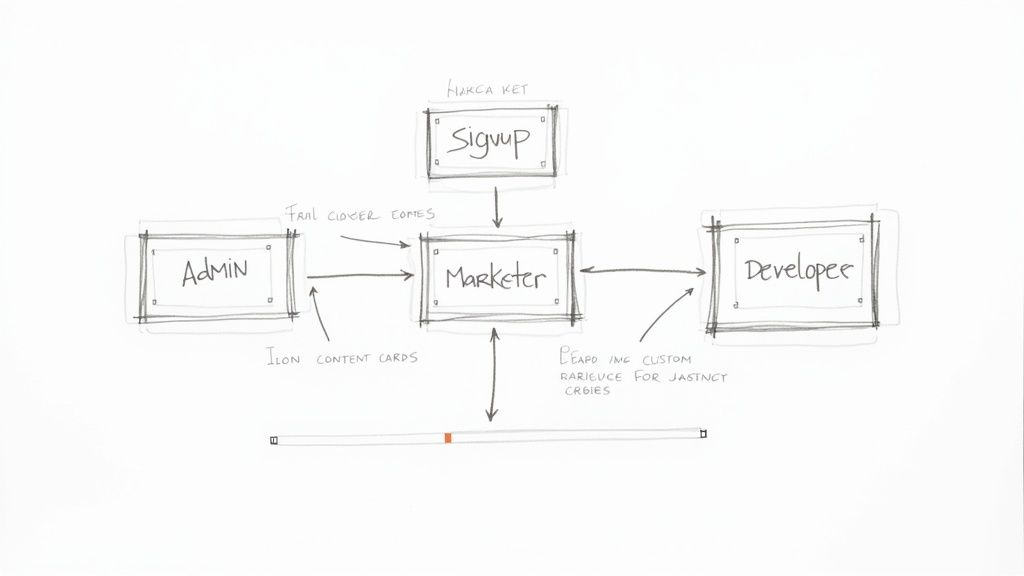
A tailored experience makes new user teams feel seen and valued. It cuts through the noise and focuses on what matters most to them, preventing the cognitive overload that often leads to churn. For a deeper dive into this concept, you can explore the principles of creating a B2B customer journey map to better visualize these unique paths.
Consider these powerful examples:
Getting started with personalization doesn't require a complete overhaul. Begin by identifying 2-3 of your most critical customer segments.
Follow these actionable steps:
From the moment a new user signs up, they are subconsciously asking, "Did our company make the right decision?" Your onboarding process must answer with a resounding "Yes." Clearly communicating your value proposition isn't just a marketing slogan; it's the foundational promise you make to your clients. It sets clear expectations and provides the motivation needed to engage fully with your product from the very first login.
This crucial step involves explicitly articulating the core benefits and tangible business outcomes a client will achieve. A powerful value proposition is a cornerstone of effective customer onboarding best practices because it transforms a series of setup tasks into a clear path toward a desired goal. It frames the entire onboarding experience around the user's success, reinforcing why they chose your solution in the first place.
A well-articulated value proposition acts as a north star for the new user. It cuts through complexity and immediately connects features to benefits, preventing the early-stage doubt that often leads to disengagement and churn. If you want to refine your core message, understanding the essentials of a strong B2B value proposition is a great starting point.
Consider these powerful examples:
Integrating your value proposition into onboarding isn't about adding more text; it's about framing every step with purpose. Focus on demonstrating the promised benefits quickly and consistently.
Follow these actionable steps:
Reading a manual is passive; doing is active. Hands-on guided product tours embrace this principle by transforming the initial user experience from a lecture into an interactive workshop. These step-by-step walkthroughs actively guide users through your product's core functionality, prompting them where to click and what to do next to achieve their first win. This method drastically reduces cognitive load and builds user confidence from the moment they log in.
Instead of just telling users about a feature's value, a guided tour makes them experience it firsthand. This is a crucial element of effective customer onboarding best practices because it accelerates learning and creates muscle memory. By turning new users into active participants, you help them internalize workflows and understand the real-world application of your tool in their own work context.

Interactive tours prevent the "blank slate" problem, where users are dropped into an empty dashboard and don't know where to start. They provide a clear, structured path to value, ensuring users complete key actions that are highly correlated with long-term retention. Tools like Appcues and Userguiding have popularized this approach for B2B software.
Consider these powerful examples:
A great tour is focused, contextual, and empowering. It should feel less like a rigid script and more like a helpful colleague showing you the ropes.
Follow these actionable steps:
Expecting new clients to find help on a single, predetermined channel is a recipe for frustration. Modern B2B users expect support that meets them where they are, accommodating their unique learning styles and immediate needs. Multi-channel onboarding support delivers assistance across a variety of touchpoints, including in-app guides, email, video tutorials, live chat, and a comprehensive knowledge base.
This flexible approach removes friction by giving users the power to choose how they learn and resolve issues. It's a critical component of modern customer onboarding best practices because it acknowledges that one user may prefer a quick video walkthrough while another wants to ask a specific question via live chat. By offering multiple pathways to success, you create a supportive and resilient onboarding environment that caters to everyone in the client's organization.
A robust multi-channel strategy ensures that no customer is left behind. It prevents minor roadblocks from becoming major churn risks by providing an accessible solution for every preference and situation. For a closer look at orchestrating these touchpoints, exploring successful multi-channel marketing campaign examples can provide valuable insights into creating a cohesive user experience.
Consider these powerful examples:
Building an effective multi-channel system starts with understanding your customer’s journey and anticipating their needs at each stage.
Follow these actionable steps:
Waiting for new clients to encounter problems before offering help is a recipe for churn. Leading B2B companies flip this model on its head with proactive support, engaging customers at critical moments to ensure they stay on the path to success. This means assigning dedicated resources, whether human or automated, to guide users through milestones, prevent them from getting stuck, and actively demonstrate a deep investment in their outcomes.
This forward-thinking strategy is a crucial component of customer onboarding best practices because it transforms the customer relationship from reactive to collaborative. Instead of solving problems after they arise, you prevent them entirely. By anticipating needs and offering guidance, you build powerful momentum and reinforce the value of your solution right from the start.
A proactive approach shows customers you are a true partner in their success, not just a software vendor. It builds trust and confidence, reassuring them that they have the support needed to achieve their business goals. This is especially vital during the fragile early stages when user motivation is high but product familiarity is low. To measure the impact of these efforts, you can explore this guide to customer success metrics.
Consider these powerful examples:
You can begin implementing a proactive strategy by identifying key milestones in your customer's journey and planning your outreach around them.
Follow these actionable steps:
The initial product setup can be a major point of friction, often intimidating new B2B users with complex configurations and technical jargon. Simplified setup wizards dismantle this barrier by guiding users through a structured, step-by-step process. This approach transforms a potentially overwhelming task into a series of small, achievable actions, ensuring users can configure the product correctly without needing a technical background.
By breaking down the setup into manageable chunks, providing smart defaults, and offering real-time validation, you drastically reduce the cognitive load on the user. This is a crucial element of effective customer onboarding best practices because it builds momentum and confidence. Instead of abandoning the process, users feel empowered and are more likely to reach the "aha!" moment where they experience the product's core value.
A well-designed setup wizard prevents the common frustration of "analysis paralysis," where a user is faced with too many options at once. It ensures a successful first run by eliminating guesswork and minimizing the chance of configuration errors, which are a primary cause of early-stage churn. This guided approach makes sophisticated business software accessible to a broader audience.
Consider these powerful examples:
Begin by mapping out the absolute minimum steps required for a user to get value from your product. This becomes the foundation of your wizard.
Follow these actionable steps:
The first few moments in your product are critical. To hook new users, you must engineer an early "quick win" that delivers tangible value almost immediately. This approach focuses on guiding users to a small, achievable task that produces a visible result, demonstrating the product's power before they get lost in complex features. This is a foundational element of effective customer onboarding best practices because it replaces passive learning with active achievement, creating powerful momentum from day one.
Celebrating these small victories reinforces positive behavior and builds user confidence. When a user accomplishes a key task and receives immediate, positive feedback, it triggers a dopamine release that makes them feel successful and motivated to continue exploring. This transforms onboarding from a chore into an engaging and rewarding experience.
Achieving a small goal quickly proves to the user that your product is not only powerful but also accessible. This initial success combats the intimidation of learning a new tool and provides a concrete answer to their question, "Will this be worth my time?" This psychological boost is instrumental in driving long-term adoption and preventing early-stage churn.
Consider these powerful examples:
Start by mapping the shortest possible path to a tangible outcome for a new user. What is the one thing they can do in under three minutes to see real value?
Follow these actionable steps:
Empowering clients means giving them the tools to find answers on their own terms, at their own pace. A comprehensive knowledge base isn't just a support function; it's a fundamental part of the onboarding experience. By creating a rich, searchable repository of articles, videos, and FAQs, you build user confidence and independence from day one, allowing them to explore and solve problems without waiting for a support ticket response.
This self-service approach is a critical element of modern customer onboarding best practices because it respects the user's time and intelligence. It transforms potential frustration into a moment of discovery and learning, fostering a deeper, more self-sufficient relationship with your product. An easily accessible library of information ensures that help is always just a few clicks away, 24/7.
A robust knowledge base reduces the burden on your support team, freeing them to focus on more complex, high-value client interactions. More importantly, it empowers users to become product experts in their own right, which directly correlates with long-term retention and advocacy. This proactive support system shows you anticipate their needs.
Consider these powerful examples:
Building an effective self-service hub is an ongoing process of refinement, not a one-time project. Start by documenting the most common questions your support team receives.
Follow these actionable steps:
Guesswork has no place in a world-class onboarding experience. A data-driven approach moves beyond assumptions, transforming your process from a static checklist into a living, breathing system that evolves with your users. It involves using analytics and behavioral data to continuously measure effectiveness, pinpoint friction points, and iterate on your flows. This evidence-based strategy ensures every change is validated and impactful.
This methodology is one of the most crucial customer onboarding best practices because it provides an objective lens through which to view user success. Instead of wondering why users drop off, you can see precisely where they struggle and why. Data empowers you to make surgical improvements that directly boost activation rates, feature adoption, and long-term retention.
Relying on data makes your onboarding process predictable and scalable. It removes subjectivity and aligns your team around clear, measurable goals. By tracking user behavior, you can answer critical questions like, "Which feature is the strongest indicator of long-term retention?" or "Where in our setup guide do most users abandon the process?" This insight is invaluable for resource allocation and product development.
Consider these powerful examples:
Getting started means shifting your mindset from "launch and forget" to "launch, measure, and iterate." It begins with defining what success looks like in quantifiable terms.
Follow these actionable steps:
Onboarding doesn't have to be a one-to-one or one-to-many process. The most innovative B2B companies foster a sense of belonging by building vibrant communities where customers can learn from and support each other. This approach transforms onboarding from a company-led checklist into a user-driven journey of shared discovery and peer-to-peer problem-solving.
This strategy is a cornerstone of effective customer onboarding best practices because it creates a scalable, self-sustaining ecosystem of support. Instead of relying solely on your support team, new users can tap into the collective wisdom of experienced peers, accelerating their learning and making them feel part of something bigger.
A dedicated community reduces user isolation and provides a powerful, authentic source of knowledge transfer. New customers often trust the advice of a fellow user who has "been there" even more than official documentation. To truly tap into the power of shared experiences and collective knowledge, consider implementing these community engagement best practices to build a thriving user base.
Consider these powerful examples:
Building a community starts with identifying and empowering your most engaged customers. From there, you can expand its reach and impact. You can learn more about how platforms evolve their community strategies, as seen in the recent Shopify decision to centralize partner discussions.
Follow these actionable steps:
We've journeyed through ten foundational customer onboarding best practices, each a critical component in transforming a new user into a dedicated, long-term advocate for your B2B solution. From the initial welcome email to the celebration of that first significant milestone, every interaction is an opportunity to prove your value and solidify the relationship. It's clear that exceptional onboarding is not a one-size-fits-all checklist; it's a dynamic, responsive system designed to guide, empower, and accelerate your customer's path to success.
Remember, the goal isn't merely to teach features. It's to embed your product so deeply into your customer's workflow that it becomes indispensable. This is achieved by moving beyond mere instruction and into the realm of strategic partnership. You are not just a vendor; you are an essential part of their growth story.
Let's distill the core themes we've explored. The most effective onboarding programs are built on three unshakable pillars: empathy, clarity, and momentum.
By weaving these three elements into your strategy, you elevate your onboarding from a procedural handoff to a powerful, value-driven experience. The mastery of these customer onboarding best practices is what separates high-growth B2B companies from the rest.
Reading about these practices is the first step; implementation is where the transformation happens. Don't feel overwhelmed by the need to overhaul everything at once. Instead, identify the one or two areas that present the biggest opportunity for your business right now.
Onboarding is not a department; it's a company-wide philosophy. It is the single most important driver of long-term customer retention and expansion revenue. By investing in a deliberate, data-informed, and human-centric onboarding program, you are not just reducing churn; you are building the foundation for sustainable, predictable growth. You are turning a simple transaction into a lasting, mutually beneficial partnership.
A world-class onboarding experience starts with powerful messaging and a clear Go-to-Market strategy. Big Moves Marketing specializes in crafting the GTM plans, messaging frameworks, and sales enablement tools that ensure your customers understand your value from day one. Let's build the foundation for an onboarding program that doesn't just activate users, but creates lifelong partners at Big Moves Marketing.
Explore Big Moves Marketing services and resources:



%20-%20white.svg)