%20png%20copy.avif)
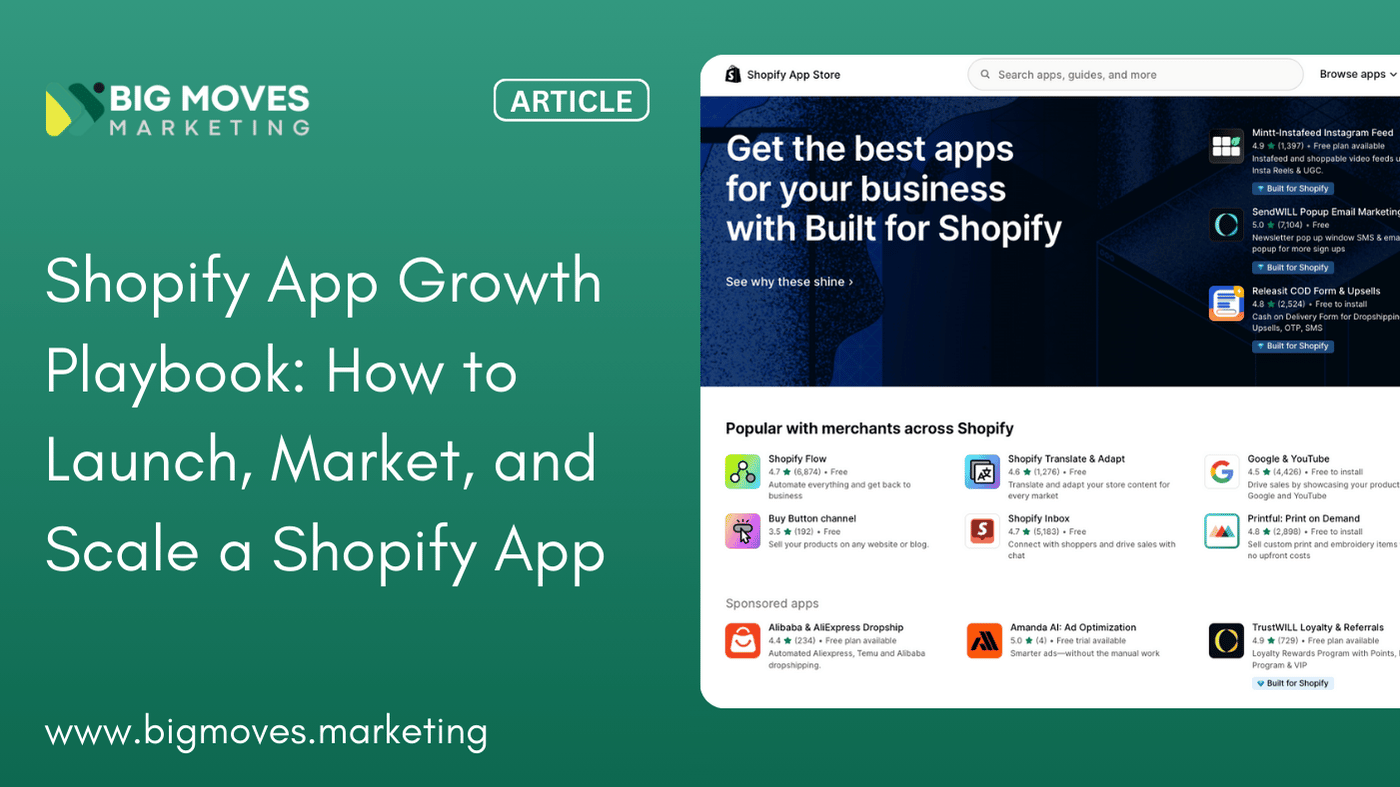
The Shopify App Store is home to over 13,000 apps competing for merchant attention. Most of them will never reach meaningful scale. Not because they lack functionality, but because they lack distribution.
This playbook is built from the ground up for Shopify app founders who understand that building a great product is only half the equation. The other half—getting merchants to discover, trust, install, and keep using your app—requires a fundamentally different approach than traditional SaaS growth.
If you've spent months building features only to watch your install numbers flatline, or if you're burning cash on ads that convert poorly, this guide will help you redirect your energy toward what actually drives sustainable growth in the Shopify ecosystem.
This playbook is specifically designed for three types of readers:
Shopify app founders in the pre-launch or early-stage phase who need a clear roadmap to go from zero to traction. You've built something useful, but you're unsure how to get it in front of the right merchants without burning through your runway.
Product-led teams at existing Shopify apps who are struggling with distribution. Your product works, your early users love it, but growth has plateaued and you're not sure which lever to pull next.
Agencies and growth leads working on Shopify apps who need to understand the unique dynamics of this ecosystem. You might be coming from traditional SaaS, paid media, or SEO backgrounds, and you're discovering that the rules are different here.
This is not generic SaaS advice repurposed for Shopify. The Shopify App Store operates as a closed ecosystem with its own algorithm, its own trust signals, and its own distribution constraints. The tactics that work for web-based SaaS companies often fall flat here, and this playbook accounts for that reality.
The Shopify App Store has become increasingly crowded over the past few years. According to Shopify's 2024 App Store data, the number of apps has grown by more than 40% since 2022, while the number of active merchants has grown at a slower pace. This creates a fundamental supply-demand imbalance that makes organic discovery harder than ever.
Saturation of the App Store is the first challenge. In popular categories like email marketing, upselling, and product reviews, merchants might see dozens of seemingly identical solutions. When merchants search for "email marketing," they're presented with apps that all promise similar outcomes. The differentiators that matter in this environment aren't just features—they're trust signals, positioning clarity, and conversion optimization on the listing itself.
Low switching costs for merchants compound this problem. Unlike enterprise SaaS where migration involves complex data transfers, onboarding processes, and contractual commitments, Shopify merchants can uninstall your app with a single click. This creates a perpetual churn risk and means that acquisition is only the beginning of the growth equation. If your app doesn't deliver immediate, tangible value, merchants will simply move on to the next option.
The review-driven trust economy has become the primary signal merchants use to evaluate apps. A 2025 study by Shopify App Store Insights found that 89% of merchants check reviews before installing an app, and apps with an average rating below 4.5 stars see conversion rates drop by more than 60%. This creates a chicken-and-egg problem for new apps: you need installs to get reviews, but you need reviews to get installs.
If you're coming from a traditional SaaS background, you'll quickly discover that many of the tactics you relied on simply don't translate to the Shopify ecosystem.
App Store ≠ open web. In traditional SaaS, you can drive traffic to your website through SEO, content marketing, paid search, and social media, then optimize your landing page and funnel to convert visitors. In the Shopify App Store, merchants discover apps almost exclusively through the App Store's own search and browse functions. Your beautifully designed marketing website matters far less than your App Store listing optimization.
ASO > SEO. App Store Optimization (ASO) has become the primary discovery mechanism. According to Shopify Partners documentation, approximately 65% of app installs come from search within the App Store itself. This means that ranking for relevant keywords inside the App Store is far more valuable than ranking on Google for "best Shopify email app." The algorithm, ranking factors, and optimization tactics for ASO are fundamentally different from SEO.
Distribution constraints are more severe. In traditional SaaS, you can run ads on Google, Facebook, LinkedIn, and other platforms, driving traffic directly to your site. For Shopify apps, paid advertising options are limited primarily to Shopify Search Ads (the native advertising platform within the App Store) and some carefully structured Google Ads campaigns. The walled-garden nature of the ecosystem means you have fewer channels to experiment with and a higher dependency on getting the core App Store mechanics right.
Before diving into specific tactics, it's essential to understand the strategic framework that underpins successful Shopify app growth. Every decision you make—from positioning to pricing to partnership strategy—should map back to this framework.
Sustainable Shopify app growth comes down to optimizing three interconnected levers:
1. App Store Visibility (ASO + Ads)
This lever controls how many qualified merchants discover your app. It includes organic discoverability through App Store search rankings (driven by ASO), as well as paid visibility through Shopify Search Ads. The goal here is to maximize the number of relevant merchants who see your app when they're actively looking for a solution to their problem.
Key inputs include keyword optimization, category selection, review quantity and velocity, and ad spend allocation. The output metric is qualified impressions—not just any traffic, but merchants searching for problems your app actually solves.
2. Conversion (Listing, onboarding, pricing)
This lever determines what percentage of those merchants who discover your app actually install it and begin using it. The App Store listing page is your entire conversion funnel condensed into a single page. Your title, subtitle, screenshots, description, pricing clarity, and social proof must work together to overcome skepticism and drive the install.
Post-install, your onboarding experience either activates users or creates churn. According to Shopify App Bridge best practices, apps that activate users within the first 15 minutes of installation see 3-4x higher retention rates than those with longer time-to-value.
3. Retention & Expansion (Activation, reviews, LTV)
This lever determines whether merchants continue paying for your app month after month and whether they increase their spend over time. For Shopify apps, retention is heavily influenced by activation quality—whether the merchant achieves meaningful value in their first session. Expansion comes through plan upgrades, usage-based billing, or add-on features.
Crucially, retention also feeds back into visibility through the review mechanism. Satisfied, long-term users are more likely to leave positive reviews, which improves your search rankings and conversion rates, creating a virtuous growth cycle.
The most common mistake Shopify app founders make is over-indexing on one lever while neglecting the others. You can't scale sustainably by just throwing money at ads if your conversion and retention are broken. Similarly, perfect product-market fit won't save you if merchants can't discover your app in the first place.
The decisions you make before writing a single line of code can determine whether your app struggles for years or finds traction in months. Most founders skip this phase, eager to start building, and pay for it with extended periods of painful iteration.
Demand validation in the Shopify ecosystem looks different than in open-market SaaS. You're not just asking "Is there demand for this solution?"—you're asking "Is there demand for this solution within the Shopify App Store, and can I capture it?"
Category selection is your first strategic filter. The Shopify App Store organizes apps into categories like "Marketing," "Sales and conversion," "Orders and shipping," and others. Some categories are massively oversaturated (email marketing, product reviews), while others are underserved or emerging (sustainability, wholesale, Web3 commerce).
Browse the Shopify App Store categories and look for patterns. How many apps appear in search results for your target category? What do their review counts look like? A category with 50+ apps all showing 1,000+ reviews suggests it's mature and competitive. A category with 10-15 apps showing 100-500 reviews might represent an opportunity.
Competitive density requires deeper analysis than just counting apps. Install the top 10-15 apps in your target space and use them as a merchant would. Pay attention to:
This research phase should reveal gaps—problems that existing apps solve poorly or not at all. These gaps are your positioning opportunities.
Keyword signals inside the App Store provide demand data that's far more relevant than Google Keyword Planner or traditional SEO tools. Use the App Store's autocomplete feature to see what merchants are actually searching for. Type partial phrases related to your app's purpose and note what autocompletes. Terms that autocomplete are terms with search volume.
For example, if you're building a subscription app, type "subscr" into the App Store search and see what appears. You might see "subscription," "subscription app," "subscriptions shopify," "subscription box," and others. Each of these represents actual search demand from merchants.
Tools like AppReview.io and Shopify App Analytics can provide additional insights into search volume and competitive keyword rankings, though much of this data is not publicly available and requires either partner access or paid tools.
Once you've validated demand, you need to position your app in a way that the Shopify App Store algorithm—and more importantly, merchants—can understand immediately.
Category-first vs problem-first positioning represents a crucial fork in the road. Category-first positioning means you're building an "email marketing app" or a "loyalty program app"—something merchants can immediately slot into a known category. Problem-first positioning means you're solving a specific merchant pain point that might not map to a single category.
For example, "abandoned cart recovery" is a problem-first position. It's not a category itself—it touches email marketing, SMS, push notifications, and conversion optimization. Apps positioned around specific problems can be powerful because they align with how merchants think ("I have an abandoned cart problem"), but they face discoverability challenges because they don't fit neatly into the App Store's category structure.
In 2026, the most successful new apps tend to use one-job clarity—they do one thing exceptionally well and communicate that instantly. This doesn't mean your app can only have one feature, but it means your positioning, naming, and listing should crystallize around a single, clear job to be done.
"All-in-one marketing platform" is not one-job clarity. "Pre-order and back-in-stock notifications" is. "Complete email solution" is not. "Email for abandoned checkouts" could be, if you can own that specific use case.
The test for one-job clarity is simple: can a merchant understand what your app does in five seconds of looking at your listing? If they have to read three paragraphs to understand your value proposition, you'll lose most of them before they ever get that far.
Launch is not a single moment—it's a phase that typically spans 4-8 weeks and sets the trajectory for your app's first year. The goal is not to maximize Day 1 installs (though that helps), but to generate enough early signal data to validate your ASO, conversion, and activation strategies.
Most founders measure launch success by install count. This is a mistake. Raw installs mean nothing if merchants churn immediately, leave negative reviews, or never activate.
A successful launch means you've achieved three things:
These early signal metrics matter far more than hitting some arbitrary install target. You can buy installs, run promotions, or beg friends to install your app, but none of that creates sustainable growth. What you need is signal: evidence that your positioning, conversion, and activation mechanisms work.
The biggest challenge at launch is generating installs from merchants who have a genuine problem you solve—not just people doing you a favor.
Partner installs can be a valuable starting point if approached correctly. Shopify Partner accounts (agencies, developers, and Shopify employees) have access to development stores. Some founders create partnerships with agencies or developer communities where they offer free or discounted plans in exchange for feedback and reviews.
The key is targeting partners who actually work with merchants in your target vertical. If you've built a B2B wholesale app, partner with agencies that serve B2B brands. If you've built a Shopify Plus app for scaling brands, connect with Plus partners. The Shopify Partner Directory can help you identify potential partners by specialty.
Early merchant communities provide another channel. Shopify merchants congregate in several places online:
Engage authentically in these communities by answering questions and providing value. When relevant, mention your app—but only in contexts where it genuinely solves the problem being discussed. Most communities have rules against overt promotion, so the key is building trust first.
Controlled beta strategies can accelerate learning while limiting risk. Rather than launching publicly to the entire App Store immediately, some founders run a private beta with 20-50 hand-selected merchants who fit their ideal customer profile. This allows you to:
Tools like Shopify's App Bridge allow you to create beta versions of your app with controlled access. You can invite specific merchants by email, gather feedback, and iterate before your public launch.
App Store Optimization is the most important growth lever for most Shopify apps. While there are other channels (which we'll cover later), the vast majority of installs for the average app come from merchants searching within the App Store.
The Shopify App Store search algorithm considers multiple factors when ranking apps, but keywords remain central to discoverability. The algorithm looks at keywords in your app title, subtitle, and description, and matches them against merchant search queries.
How Shopify search works is not publicly documented in detail, but through experimentation and partner feedback, we know several key principles:
Unlike Google SEO, where you can rank for hundreds of keywords through content creation, the Shopify App Store severely limits your keyword real estate. Your title has a 30-character limit, and your subtitle has a 50-character limit. This means you need to be extremely selective about which keywords you target.
Head vs long-tail keywords require different strategies. Head keywords like "email marketing," "loyalty," or "SEO" have high search volume but intense competition. Long-tail keywords like "pre-order notifications," "wholesale pricing tiers," or "subscription cancellation flows" have lower volume but far less competition and often higher intent.
For new apps with few reviews, long-tail keywords are your entry point. You can realistically rank in positions 1-5 for long-tail searches where only 5-10 other apps are optimized. Head keywords, on the other hand, are dominated by established apps with thousands of reviews, making it nearly impossible to break through.
A typical ASO keyword strategy might look like:
Track which keywords drive installs using Shopify App Analytics, available through your Partner Dashboard. This data shows you which search terms merchants used before installing your app, allowing you to double down on what works and de-emphasize what doesn't.
Once a merchant finds your app, your listing has seconds to convince them to install. Every element on your listing contributes to conversion.
Title, subtitle, screenshots form the critical above-the-fold section. On mobile (where many merchants browse), this is often all they see before deciding whether to scroll further.
Your title should communicate what your app does, ideally including your primary keyword. Examples of effective titles:
Notice how each combines a keyword with a clear benefit or function. Avoid clever or vague naming that requires explanation.
Your subtitle has slightly more room to elaborate. Use it to add context, secondary keywords, or a specific benefit. Examples:
Your screenshots are your most powerful conversion tool. According to research by StoreMaven, well-optimized screenshots can improve conversion rates by 20-35%. Best practices include:
Social proof mechanics extend beyond reviews. While your review count and average rating are displayed prominently, you can amplify social proof through:
The description itself should follow a clear hierarchy:
Avoid marketing fluff, superlatives, and vague claims. Merchants are skeptical and time-constrained. They want to know: Does this solve my problem? Can I trust it? How much does it cost?
Shopify Search Ads, launched in 2022 and significantly expanded in 2024-2025, allows app developers to bid on keywords within the App Store. Ads appear at the top of search results with a small "Ad" label.
Paid ads are not a silver bullet, and for many early-stage apps, they're a distraction from more important work.
PMF checkpoints should gate your decision to invest in paid acquisition. Before spending money on ads, ensure:
If any of these numbers are weak, paid ads will simply accelerate your failure. You'll pay to acquire merchants who churn immediately or leave negative reviews, which damages your organic rankings and creates a negative feedback loop.
Budget heuristics vary widely by category, but as a general rule:
According to Shopify Search Ads documentation, competitive categories like email marketing, reviews, and upselling can see CPIs above $100, while niche categories might see CPIs below $30.
Shopify Search Ads operates on a keyword bidding model similar to Google Ads. You create campaigns, select keywords to target, set bids, and pay when merchants click your ad.
Brand vs category bidding represents your first strategic choice. Brand bidding means targeting searches for your own brand name or variations ("YourApp," "YourApp shopify"). Category bidding means targeting generic problem or solution keywords ("email marketing," "loyalty program").
Brand bidding is defensive. If you don't bid on your own brand, competitors might, stealing clicks from merchants who already know about you. The CPIs are typically lower, and conversion rates are higher. Most established apps run brand campaigns continuously.
Category bidding is expansive. You're competing for merchants who are in active problem-solving mode but don't know your app yet. CPIs are higher, and conversion rates are lower, but the volume potential is much larger.
Defensive vs expansion strategies map to different business goals:
Campaign structure best practices include:
One critical insight: Shopify Search Ads work best when layered on top of strong organic ASO. Ads get merchants to click, but your listing still has to convert them. If your organic conversion rate is 15% and you're paying $50 per install, you can expect roughly the same conversion rate on paid traffic—meaning you're paying $50 for a 15% chance of an activation.
Reviews are the currency of trust in the Shopify App Store. They influence rankings, they influence conversion, and they influence merchant perception more than almost any other signal.
Founders often obsess over hitting certain review milestones: 100 reviews, 500 reviews, 1,000 reviews. While total review count matters, review velocity—the rate at which you're accumulating new reviews—matters more for two reasons.
Ranking and conversion impact both favor recent review activity. The Shopify algorithm appears to weight recent reviews more heavily than old reviews, likely because recent reviews signal current app quality and ongoing merchant satisfaction. An app with 200 reviews and 20 new reviews in the past month will often outrank an app with 500 reviews but only 5 new reviews in the past month.
From a conversion perspective, merchants care about current performance. An app with 1,000 reviews but none in the past 90 days suggests stagnation or decline. An app with 100 reviews, including 15 this month, suggests momentum and active usage.
Aim for consistent review generation: 5-10 new reviews per month is a healthy baseline for an app with 100-500 active users. As you scale, this should scale proportionally. Apps with 1,000+ active users should be generating 20-50+ reviews per month.
Shopify has clear policies against incentivized reviews, fake reviews, and manipulative review practices. Violating these can result in app removal, so ethical review generation is non-negotiable.
In-app prompts are the most effective ethical method. After a merchant has used your app long enough to form an opinion (typically 7-30 days depending on use case), present a non-intrusive prompt asking for feedback.
Best practices for review prompts:
Timing strategies vary by app type. Apps with immediate value (like page builders or discount apps) can ask for reviews sooner—perhaps after 7-14 days. Apps with longer value cycles (like email marketing or analytics) should wait until the merchant has accumulated enough data or results—30-60 days.
Avoiding Shopify penalties requires staying within guidelines:
When you do receive negative reviews, treat them as feedback, not attacks. Respond publicly with empathy, acknowledge the issue, and explain how you're addressing it. Many merchants reading reviews are looking to see how you handle problems, not just whether you have them.
Retention is the growth multiplier. Every month you retain a merchant, you reduce your CAC payback period and increase lifetime value. For subscription-based Shopify apps, retention often matters more than acquisition in the long run.
Activation—getting merchants to experience meaningful value quickly—is the single strongest predictor of retention. A 2024 analysis by Baremetrics found that users who activate within the first session have 60-80% higher 90-day retention than those who don't.
Time-to-value is the metric to optimize. How long does it take from install to first meaningful value? For some apps, this might be minutes (installing a page builder and seeing a new page design). For others, it might be hours or days (setting up email automation and seeing the first revenue attribution).
Audit your onboarding flow ruthlessly:
Feature gating mistakes are common. Many apps hide their best features behind paywalls or advanced settings, forcing new merchants to use limited versions that don't demonstrate value. While you need to monetize, consider whether you can:
For example, an email app might let merchants send their first 5 emails for free with full functionality, demonstrating value immediately. After 5 sends, they hit a usage gate and must upgrade. This is superior to offering a "free plan" with limited templates and no automation, which never lets merchants experience the app's true power.
Once you've retained merchants, expansion—getting them to pay more over time—increases LTV without requiring new customer acquisition.
Pricing evolution should align with merchant growth. The best Shopify app pricing models scale with merchant success:
These models naturally expand revenue as merchants grow, without requiring awkward sales conversations or forced upgrades. They also align incentives: when your merchants succeed, you succeed.
Avoid pricing cliffs—sudden jumps from $29/month to $299/month with no intermediate options. These create churn at inflection points. Instead, offer smooth progression: $29, $79, $149, $299.
Usage-based expansion requires transparency. If you're charging based on volume, merchants need to understand:
Apps that surprise merchants with unexpected bills create negative reviews and churn. Apps that communicate clearly create trust and willingness to pay more as they scale.
While the App Store will likely remain your primary acquisition channel, diversification reduces risk and unlocks new growth vectors as you scale.
The Shopify ecosystem is built on partnerships. Apps work with themes, themes work with apps, agencies recommend apps, and apps integrate with other apps. These relationships can become distribution channels.
Agencies are influential because they set up stores for merchants and often make app recommendations. If you serve a specific vertical (e.g., B2B wholesale), partner with agencies that specialize in that vertical. Offer them:
The Shopify Partner Program includes agency partners. Reach out to agencies with complementary client bases and propose partnerships.
Theme developers control the initial merchant experience. If your app enhances themes (e.g., a page builder, product customizer, or reviews app), partner with popular theme developers to be featured or recommended. Some themes have "recommended apps" sections in their documentation or setup guides.
Other apps can be collaborators, not just competitors. Look for apps that serve the same merchants but solve different problems. For example, if you're a loyalty app, partner with email marketing apps, review apps, or referral apps. Create integration partnerships, co-marketing campaigns, or bundled offerings.
The key to successful partnerships is mutual value. Don't just ask for promotion—offer something concrete in return, whether that's revenue share, reciprocal promotion, technical integration, or access to your user base.
Beyond the App Store, several channels have proven effective for Shopify app growth, though none match the App Store's volume for most apps.
Content (founder-led) can drive inbound interest and trust. This doesn't mean generic blog posts about "10 ways to increase ecommerce sales." It means opinionated, practitioner-level content that solves specific problems your target merchants face.
Effective content for Shopify app founders:
Publish on platforms where your merchants actually spend time: Shopify Blog, Medium, YouTube, LinkedIn, or your own blog with distribution through SEO.
Communities provide access to high-intent merchants. Beyond the communities mentioned earlier (Reddit, Facebook groups, Shopify forums), consider:
The ROI on community involvement is long-term. You're building brand awareness and trust, not generating immediate installs. Be patient and authentic.
Limited outbound can work in specific scenarios. Unlike B2B SaaS where cold email and LinkedIn outbound are common, Shopify merchants generally don't respond well to cold outreach. However, targeted outbound can work when:
Tools like BuiltWith or Koala can help you identify Shopify stores using specific technologies or fitting certain criteria, allowing for highly targeted outreach.
That said, outbound should never be your primary channel. It's a supplement at best.
What you measure determines what you optimize. Most Shopify app founders track the wrong metrics or fail
Continue
10:40
to connect metrics across the funnel.
The metrics that actually matter for sustainable growth include:
Installs vs active installs. Raw install count is a vanity metric. What matters is how many of those installs translate to active usage. Shopify defines "active install" as a merchant who has your app installed and hasn't churned. Track the gap between total installs and active installs to understand churn.
Review velocity. As discussed earlier, the rate at which you're generating new reviews is a leading indicator of both ranking performance and merchant satisfaction. Track reviews per month and reviews per 100 active installs as benchmarks.
Keyword coverage. What percentage of relevant search terms does your app rank in the top 10 for? Use Shopify App Analytics to see which keywords drive installs, then track how your rankings evolve. Expanding keyword coverage is a key growth lever.
CAC payback (Search Ads). If you're running paid ads, how long does it take to recover your customer acquisition cost? For Shopify apps, a healthy CAC payback is 3-6 months. Longer than 6 months makes profitable scaling difficult. Track CAC payback by cohort to see if it's improving or degrading.
Activation rate by cohort. What percentage of merchants who install in a given week/month activate? Track this over time to measure the effectiveness of onboarding improvements.
Retention curves. Plot monthly retention cohorts to understand when and why merchants churn. Most apps see the steepest churn in month 1, then it flattens. If you're seeing continued churn past month 3, you have a value delivery problem.
LTV:CAC ratio. For sustainable growth, your lifetime value should be at least 3x your customer acquisition cost. Lower than 3x means you're growing inefficiently. Higher than 5x might mean you're underinvesting in acquisition.
These metrics should feed into a simple dashboard that you review weekly. Tools like ChartMogul, Baremetrics, or custom Shopify Analytics dashboards can help track them.
Even experienced founders make predictable mistakes when growing Shopify apps. Avoiding these can save months of wasted effort.
Over-investing in ads too early is the most common mistake. Founders see slow organic growth and assume paid ads are the solution. They burn through $10,000-20,000 in ad spend only to realize their listing doesn't convert or their product doesn't retain. Fix your fundamentals—ASO, activation, retention—before scaling paid acquisition.
Chasing features instead of distribution happens when product-focused founders assume that building more features will unlock growth. The reality is that most Shopify apps have distribution problems, not product problems. Adding a feature that 5% of users want doesn't help if 95% of your target market doesn't know you exist.
Prioritize ruthlessly: will this work improve discoverability, conversion, or retention? If not, it's a distraction.
Ignoring category dynamics leads to positioning mistakes. Every category in the Shopify App Store has different competitive dynamics, merchant expectations, and pricing norms. Email apps compete differently than page builders, which compete differently than wholesale apps.
Study your category deeply. What do the top 10 apps have in common? What's the average price point? What features are table stakes vs differentiators? What do merchants complain about in reviews? Category-specific insights matter more than generic SaaS advice.
Other common mistakes include:
Here's a condensed checklist you can use to audit your app's growth setup or plan your launch:
Pre-Launch
Launch
ASO & Organic Growth
Activation & Retention
Paid Growth
Expansion
Use this checklist as a roadmap. You don't need to complete everything before launching, but addressing these systematically will accelerate your path to sustainable growth.
If you've read this far, you understand that Shopify app growth requires a specialized approach—ASO, conversion optimization, review generation, retention mechanics, and strategic paid acquisition all working in concert.
At Big Moves Marketing, we partner with Shopify app founders to execute this playbook. We're not a generic growth agency—we specialize exclusively in Shopify app growth and bring deep expertise in the unique mechanics of the App Store ecosystem.
We help with:
Whether you're pre-launch and need a growth roadmap, post-launch and struggling with distribution, or scaling and looking to optimize CAC and LTV, we can help you accelerate growth without the trial and error.
Learn more about our Shopify App Growth services or reach out to sanity-check your current growth setup. We offer free initial consultations to help founders identify their biggest growth leverage points.
Explore Big Moves Marketing Shopify App Growth services:



%20-%20white.svg)